Email and SMS Automation for Blinds Businesses
Routine customer messages that go out on time.
Sign Up
Start your 7-day free trial
Messages That Run on Time
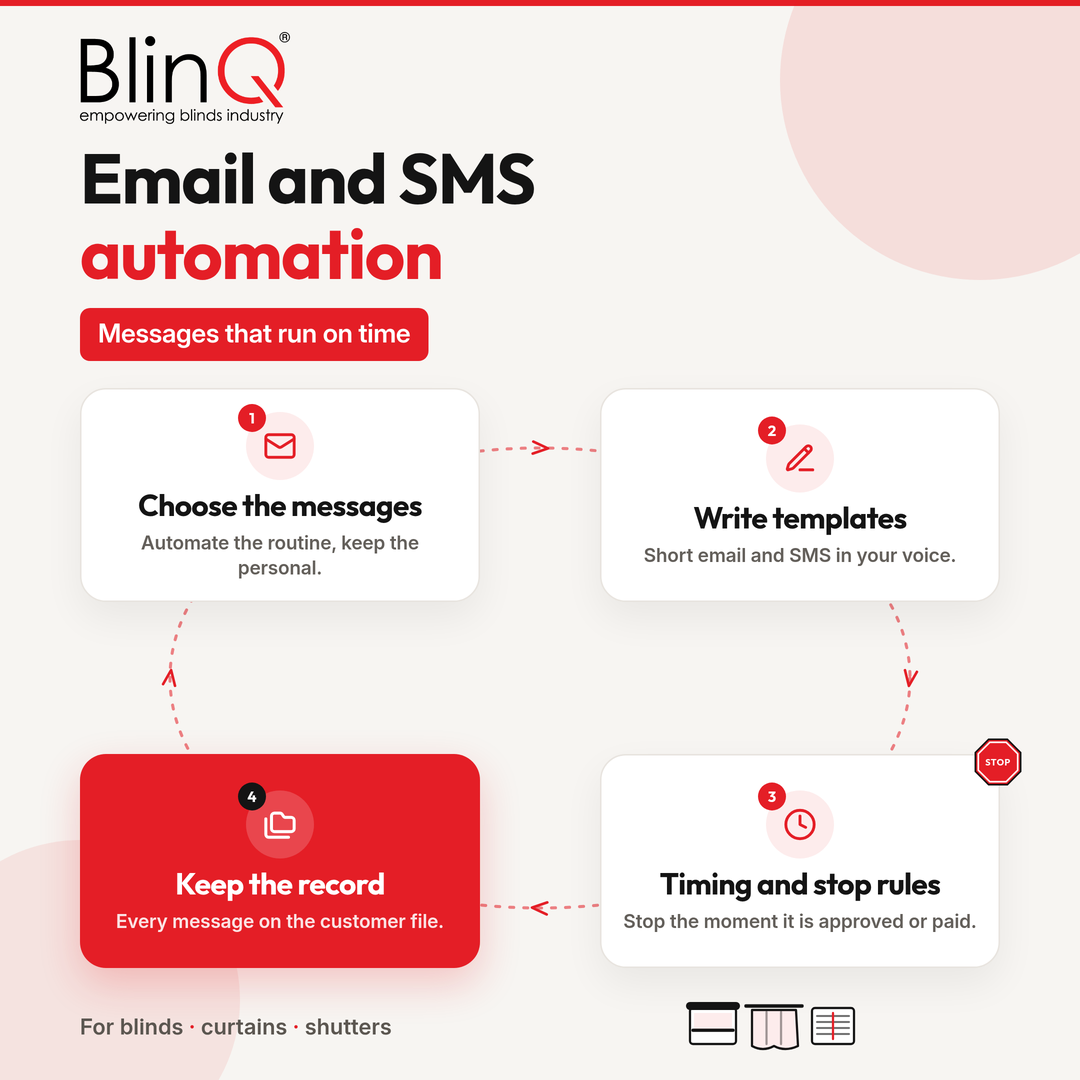
Email and SMS automation lets a blinds business send the right message at the right step without someone remembering to do it. Most owners know they should follow up quotes and remind customers about payments, but on a busy week those messages slip. The result is quiet quotes, late deposits and customers who feel forgotten. Here is how to set up automated messages that stay helpful, not pushy.
DECIDE WHAT EMAIL AND SMS AUTOMATION SHOULD SEND
Not every message suits automation. Routine, predictable ones do: a check-in after a quote is sent, a reminder before a payment is due, a note when a job moves forward. Keep personal conversations and complaints manual.
In BlinQ: Workflow Automation is listed in the plans to automate routine tasks and reminders, and SMS messaging can be sent from within BlinQ.
WRITE MESSAGES ONCE, IN YOUR OWN VOICE
Reusable wording saves time only if it sounds like your business. Write short email and SMS versions for each step, name the product and the next action, and keep the tone friendly.
In BlinQ: set up email and SMS follow-ups from BlinQ, and email quotes with your personalised message.
CHOOSE THE TIMING, AND KNOW WHEN TO STOP
Email and SMS automation fails when it keeps chasing a customer who has already said yes. Decide when each message should go, and stop once the quote is approved or paid. A short, helpful check-in is better than a long run of reminders.
In BlinQ: set due dates for invoice reminders and get alerts on outstanding invoices, so payment follow-up does not rely on memory alone.
KEEP A RECORD OF EVERY MESSAGE
Automation should never hide what was sent. Anyone picking up the customer's call needs to see the last email, the last text and whether the quote was opened.
In BlinQ: every interaction and email is stored in the customer's Story, and you can see when and how many times a customer has opened your quote, with real-time alerts on opens and clicks.
Set up customer messages that run on time. See pricing:
https://www.blinq.com.au/pricing
Or book a demonstration:
https://calendly.com/blinq/team
Email and SMS automation
Automated SMS messages
Automated email follow-up
Email and SMS follow-ups
Personalised quote emails
Invoice payment reminders
Customer Story record
Quote open alerts
Blinds customer messages
Get Started
Workflow automation software for retailers and manufacturers of blinds, shutters & curtains.