Awning Quoting Software: How to Quote Awnings Consistently
Every awning type, priced the same way every time.
Sign Up
Start your 7-day free trial
Quote Awnings Faster
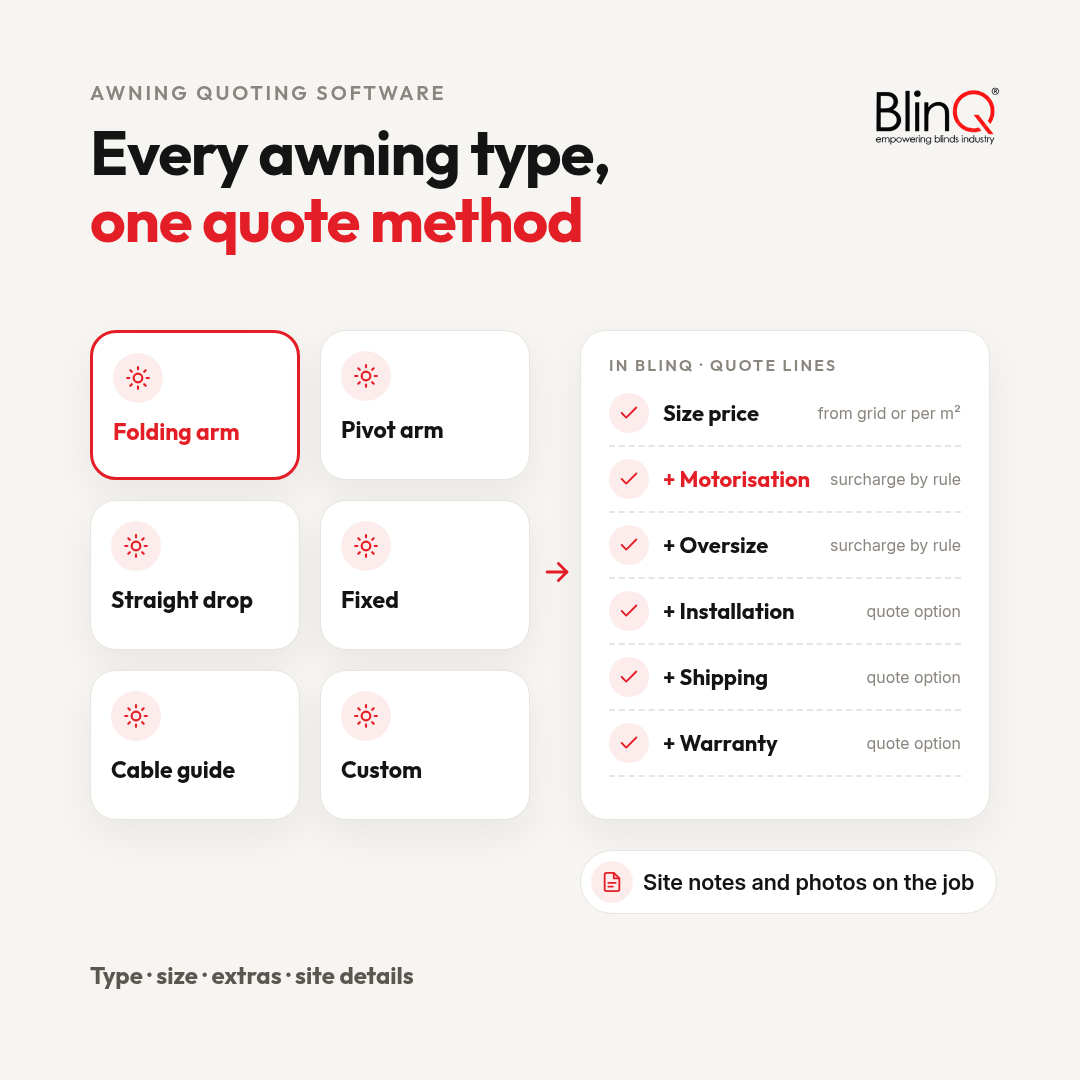
Awning quoting software earns its keep on the jobs a spreadsheet handles worst. Folding arm, pivot arm, straight drop and fixed awnings each price differently, and every extra for motors, oversize widths, freight or installation is another line to miss. Here is how to quote awnings consistently, from the first visit to the install, whether you sell awnings alone or alongside internal blinds and shutters.
CHOOSE THE AWNING TYPE FIRST
The type sets the pricing method, the options and the fixing. Record it before you measure, so you capture the sizes that type actually needs. A folding arm awning is sized by width and projection, while a straight drop awning is sized by width and drop.
In BlinQ: quote cable guide, folding arm, pivot arm, straight drop, PVC, fixed and custom awnings from quote templates customised for your range.
PRICE BY SIZE IN AWNING QUOTING SOFTWARE
Pricing awnings from memory or an old price list is where margins leak. The price should come from your supplier grids or a square metre rate, every time.
In BlinQ: as you enter measurements, the system generates the price from your price grids, or by square metre where you set a product up that way.
ADD EXTRAS AND SURCHARGES BY RULE
Motorisation, upgrades, oversize dimensions and special components are what make an outdoor quote different. Apply them by rule, not by hand, so two sales reps quote the same job the same way.
In BlinQ: rule-based surcharges calculate motorisation, upgrade and oversize charges automatically, and installation costs, shipping charges and warranty options are added to the quote as options.
HAND OVER THE SITE DETAILS
Outdoor jobs depend on wall type, fixing points and access. Outdoor blinds quoting software should carry those details from the measure to the installer.
In BlinQ: record site notes and attach photos to the job, assign it to an installer from a drop-down list, and track it to Fitted on the job tracking dashboard. Reports show how your awning quotes are performing.
Try it on your next quote. See pricing:
https://www.blinq.com.au/pricing
Or book a demonstration:
https://calendly.com/blinq/team
Awning quoting software
How to quote awnings
Folding arm awnings
Straight drop awnings
Price by size
Square metre pricing
Rule-based surcharges
Install and freight options
Outdoor blinds quotes
Get Started
Workflow automation software for retailers and manufacturers of blinds, shutters & curtains.