How to Handle Blinds Warranty Claims and Service Calls
Every claim starts from the original job.
Sign Up
Start your 7-day free trial
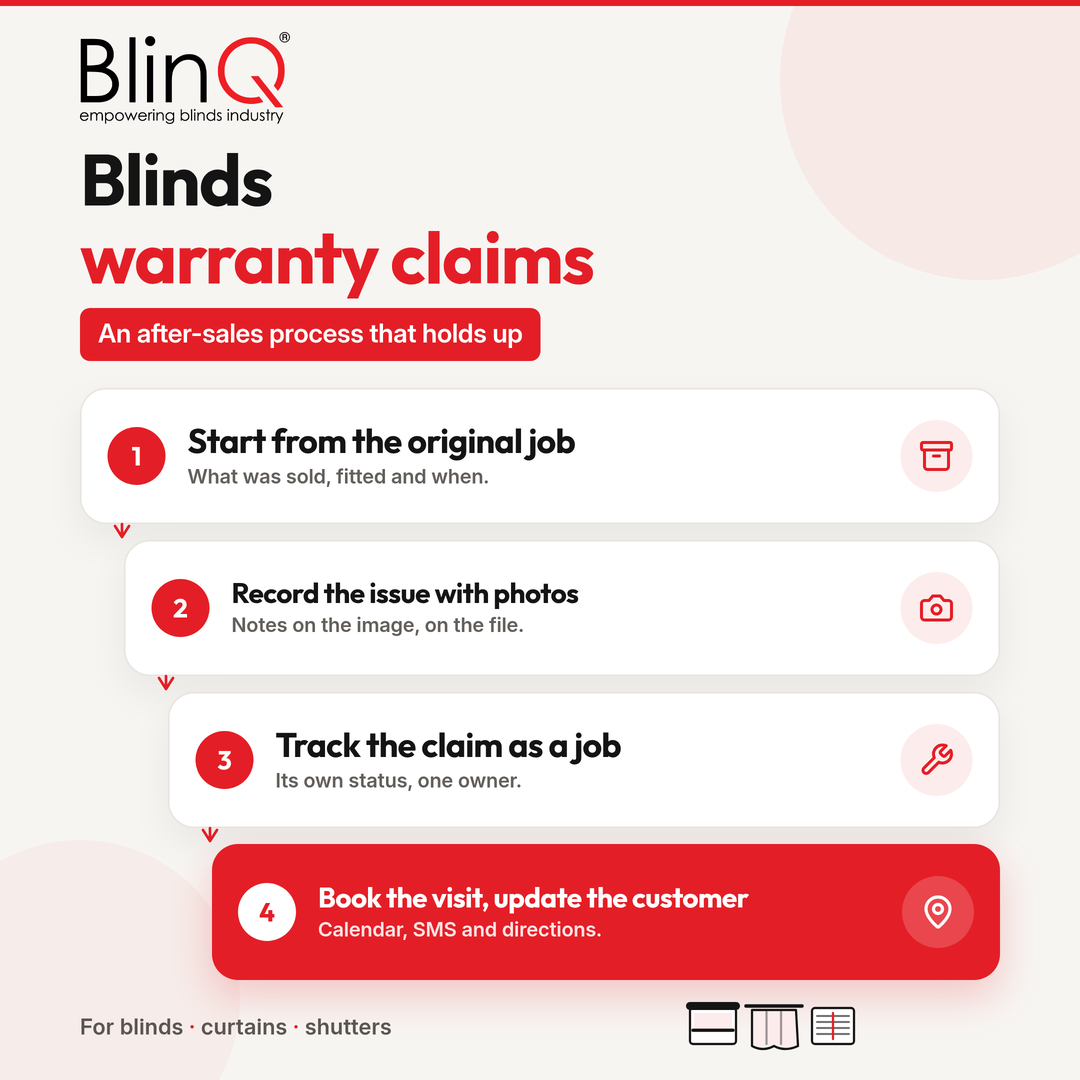
After-Sales Service, Sorted
Blinds warranty claims are part of every installation business, and how you handle them decides whether a customer refers you or warns their friends off. The hard part is rarely the repair itself. It is finding what was sold, who fitted it and what was promised, months after the job was closed. Here is a simple after-sales process for warranty claims and service calls.
START FROM THE ORIGINAL JOB
Before anyone books a visit, pull up the original quote and job: products, sizes, colours, fit type, installer and install date. That tells you whether you are looking at a product fault, a fitting issue or a change the customer now wants.
In BlinQ: the customer's story tracks the journey from initial quote to job completion, including staff notes, email correspondence, purchase orders and deposits.
RECORD THE ISSUE WITH PHOTOS
Ask the customer for photos of the problem and note what they describe in their own words. A clear photo often settles whether a part, a remake or a quick adjustment is needed, and it gives your supplier something to assess.
In BlinQ: take a photo, make a note on the image and store it within the customer's file, alongside house plans and other attachments.
TRACK BLINDS WARRANTY CLAIMS LIKE ANY OTHER JOB
A claim that lives in someone's head gets forgotten. Give each claim its own status so it sits on the same board as new work, and name one person who sees it through to the end.
In BlinQ: you can create extra statuses on the visual job dashboard to fit your business, so a service step can sit beside Approved, On Hold and Ready to Fit. Jobs are assigned to staff from a simple drop-down list.
BOOK THE VISIT AND KEEP THE CUSTOMER INFORMED
Confirm the service visit, send a reminder the customer will actually see, and make sure the technician has the address and job history before arriving. Close the claim with a note on what was done and whether anything was replaced.
In BlinQ: appointments go into connected Google or Office 365 calendars, SMS notifications can be sent from within BlinQ, and click and navigate opens maps to the job location without retyping the address.
Handled well, a service call is often the moment a customer decides to recommend you. See pricing:
https://www.blinq.com.au/pricing
Or book a demonstration:
https://calendly.com/blinq/team
Blinds warranty claims
After-sales service
Blinds service calls
Blinds repairs
Original job history
Photo records
Service job status
Service visit booking
Customer updates
Get Started
Workflow automation software for retailers and manufacturers of blinds, shutters & curtains.