Blinds Quote Calculator: How Width and Drop Pricing Works
One price grid, every quote the same.
Sign Up
Start your 7-day free trial
Width and Drop, Done Right
A blinds quote calculator is only as good as the price grid behind it. Most made-to-measure blinds are priced by width and drop, yet many businesses still read prices off a printed sheet, round the wrong way or forget an option. Here is how width and drop pricing works, and how to make every quote come out the same.
HOW WIDTH AND DROP PRICING WORKS
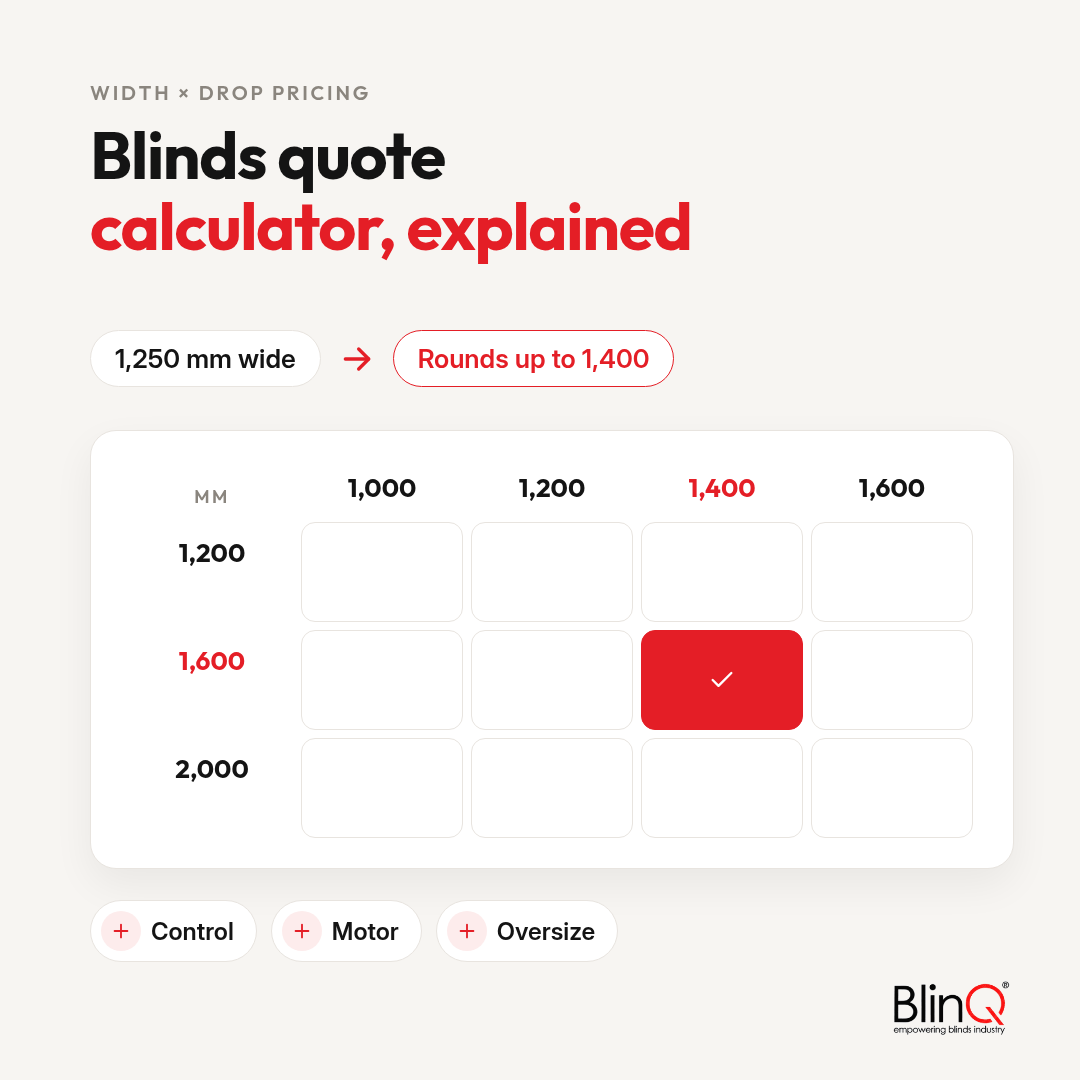
Suppliers publish a grid with widths across the top, drops down the side and a price in each cell. Sizes between steps round up to the next band, so a window 1,250 mm wide on a grid with 1,200 and 1,400 mm columns is priced at 1,400 mm. Many suppliers also set a minimum chargeable width or drop.
In BlinQ: activate calculations on each product to manage price grids, materials and fields, and the price appears as you enter the measurements.
COMMON BLINDS PRICE CALCULATOR MISTAKES
Reading the wrong row because width and drop were swapped, rounding down to win the job, quoting from last year's grid or choosing the wrong fabric group. Each one costs margin or starts a dispute.
In BlinQ: the price is found from the size and options entered, so nobody has to run a finger across a sheet on site.
OPTIONS AND SURCHARGES ON TOP OF THE GRID
The grid covers the base blinds. Control type, motorisation, oversized dimensions and special components are priced on top, and they are the lines most often forgotten.
In BlinQ: rule-based surcharges calculate extras automatically as options are chosen, so every consultant prices them the same way.
KEEP YOUR BLINDS QUOTE CALCULATOR CURRENT
When supplier prices rise, every grid needs updating, not only the copy on the owner's desk. Old grids saved on laptops and phones are the usual culprit.
In BlinQ: the Price Controller applies fixed dollar or percentage adjustments to price sheets and pricing groups, changes are tracked, and new quotes use the current pricing.
Try it on your next quote. See pricing:
https://www.blinq.com.au/pricing
Or book a demonstration:
https://calendly.com/blinq/team
Blinds quote calculator
Width and drop pricing
Rounding up a band
Blinds price calculator
Common grid mistakes
Options and surcharges
Price Controller
Current price grids
Consistent quotes
Get Started
Workflow automation software for retailers and manufacturers of blinds, shutters & curtains.