How to Manage Customer Enquiries From Every Channel
One record, one owner, one next step.
Sign Up
Start your 7-day free trial
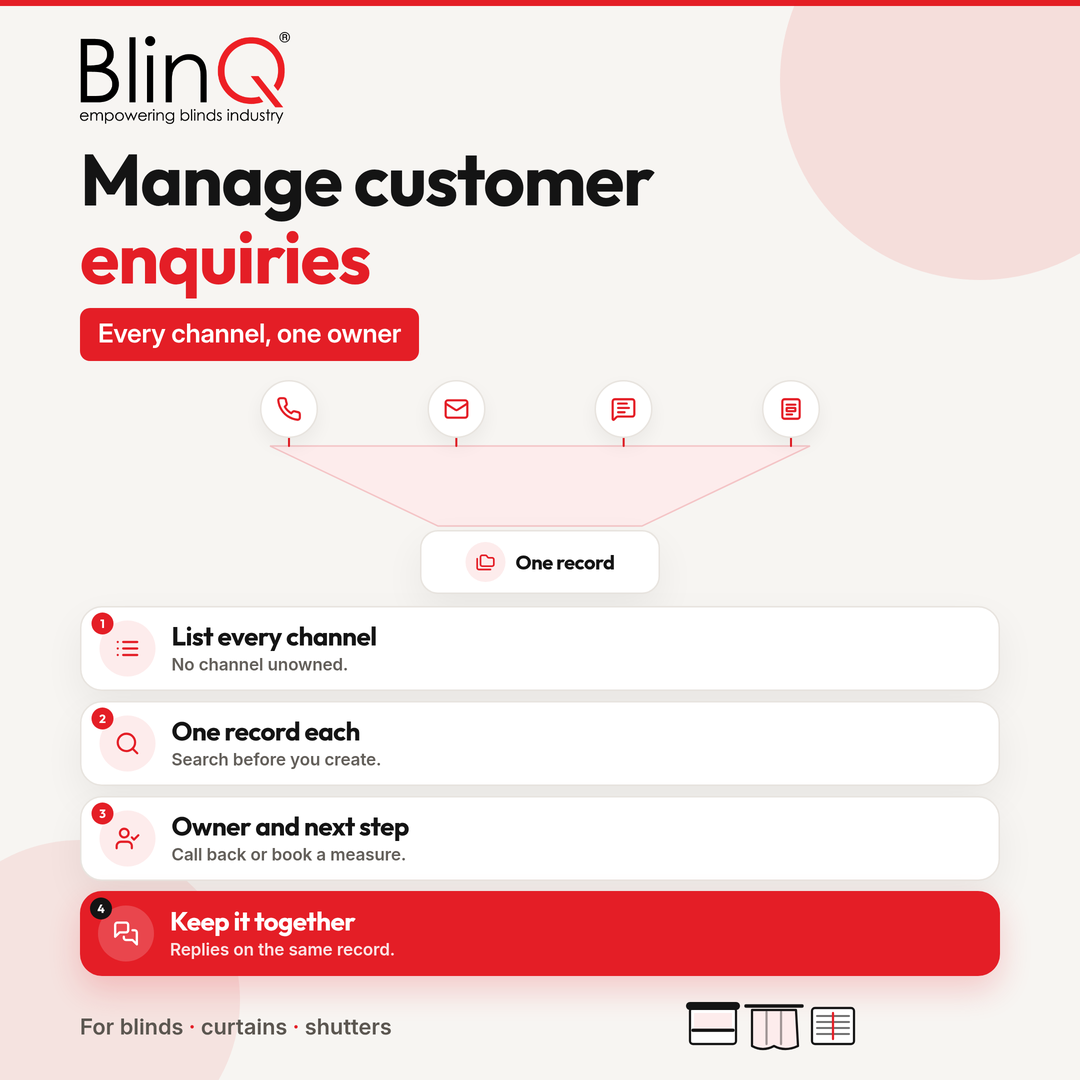
Every Enquiry, One Owner
Knowing how to manage customer enquiries well can decide whether a blinds, curtains or shutters business wins the job or loses it to whoever replied first. Enquiries now arrive by phone, email, web form, social media and live chat, often to different people. Without one process, some get answered twice and others not at all.
LIST EVERY CHANNEL CUSTOMERS USE
Write down every way customers contact you, including the informal ones, such as a staff member's mobile or a social media inbox. Any channel nobody owns is a leak, and it is usually the one that new customers use after hours.
In BlinQ: contact management supports email, telephone, social media, instant messenger, web form and website live chat, saving all contacts in one place.
HOW TO MANAGE CUSTOMER ENQUIRIES WITH ONE RECORD EACH
Create one customer record at first contact and add every later message to it, whatever the channel. Search before creating a record so the same household is not entered twice. Duplicate records split the history and lead to two staff members calling the same customer.
In BlinQ: search leads, customers and quotes from one dashboard of your team's work, and keep each customer's interactions in their story.
GIVE EVERY ENQUIRY AN OWNER AND A NEXT STEP
Each enquiry needs a named person and a clear next action, such as a call back or a measure booking. Agree a response time for each channel and check it daily, so slow replies are noticed before the customer moves on.
In BlinQ: assign jobs to staff from a drop-down pick list of employee names, and book measure appointments into connected Google or Office 365 calendars.
KEEP THE CONVERSATION IN ONE PLACE
Once a quote is out, replies should land on the same record, not in someone's personal inbox where nobody else can see them.
In BlinQ: connect your mailbox so incoming customer emails appear in the customer's story, and reply from the customer's record.
Pick one channel that has no owner today and fix it first. See pricing:
https://www.blinq.com.au/pricing
Or book a demonstration:
https://calendly.com/blinq/team
Manage customer enquiries
Customer enquiry process
Every channel, one place
One record per customer
Search before you create
Owner for every enquiry
Book the measure
Mailbox auto connect
Window treatment CRM
Get Started
Workflow automation software for retailers and manufacturers of blinds, shutters & curtains.