Christmas Shutdown Checklist for Blinds Businesses
Close for the break with every job in order.
Sign Up
Start your 7-day free trial
Plan the Break, Not the Scramble
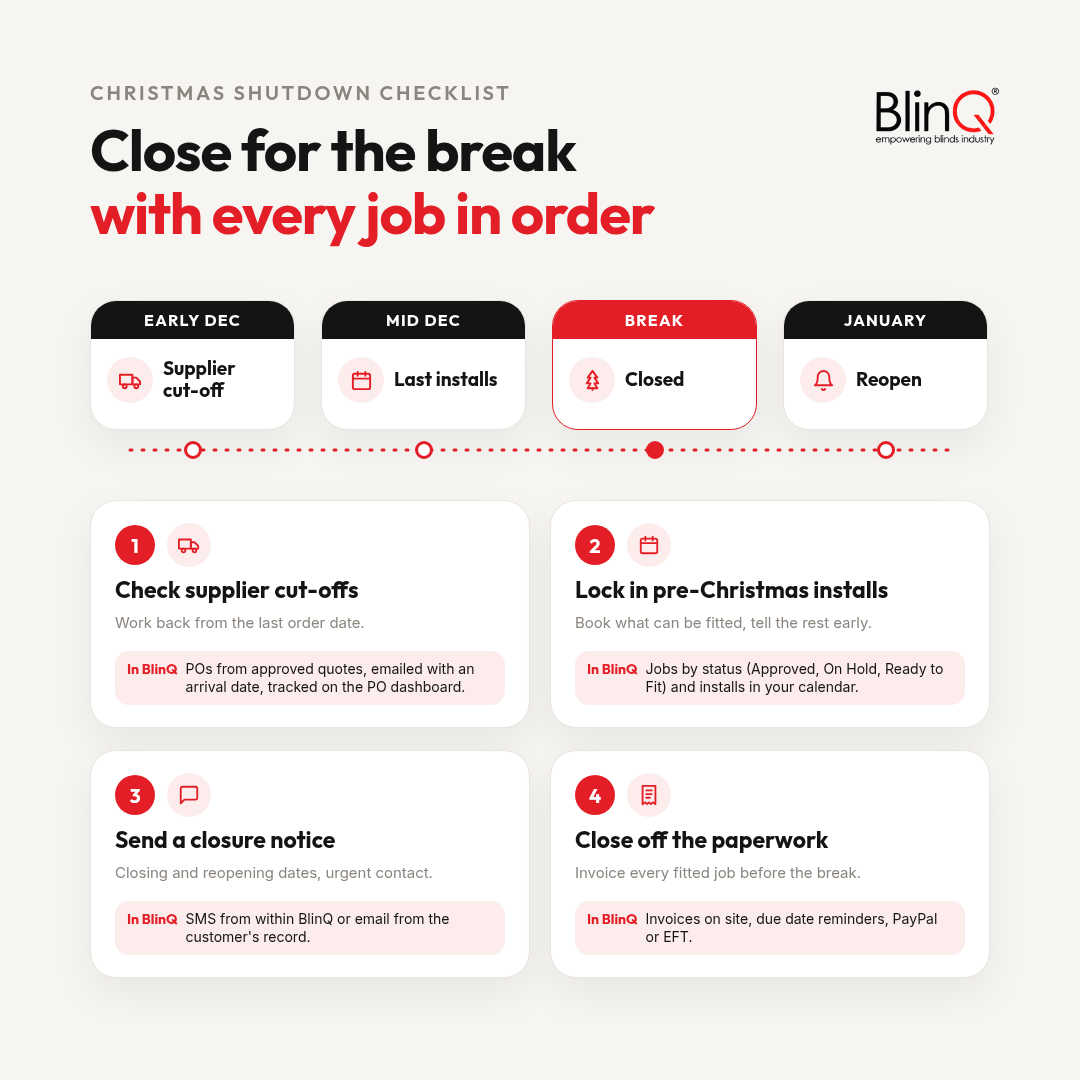
A Christmas shutdown checklist saves a blinds business from the usual December scramble: orders that miss the supplier cut-off, installs promised for Christmas that cannot happen, and customers ringing a closed showroom. Here is a simple plan for the weeks before the break, and how BlinQ helps you run it.
YOUR CHRISTMAS SHUTDOWN CHECKLIST STARTS WITH SUPPLIERS
Most made-to-measure suppliers set a last order date for pre-Christmas delivery and close for part of the Christmas shutdown period. Ask each supplier for their cut-off and reopening dates, then work backwards: anything ordered after the cut-off will be fitted in the new year.
In BlinQ: raise purchase orders directly from approved quotes, email them to suppliers with an estimated arrival date, and check every open order on the PO tracking dashboard.
LOCK IN PRE-CHRISTMAS INSTALLS
Sort approved jobs into two groups: stock that arrives in time to fit, and stock that will not. Book the first group now, and tell the second group honestly before they have to ask.
In BlinQ: the job tracking dashboard shows which jobs are Approved, On Hold or Ready to Fit, and install appointments go straight into your Google or Office 365 calendar with a preferred staff member assigned.
SEND A CHRISTMAS CLOSURE NOTICE TO CUSTOMERS
A good Christmas break notice to customers gives your closing and reopening dates, the last day to order for pre-Christmas fitting, and who to contact about an urgent problem. Use the same dates on your website, email signature and phone message.
In BlinQ: send SMS messages to customers from within BlinQ, or email them from the customer's record so every message stays in their story.
CLOSE OFF THE YEAR'S PAPERWORK
Invoice every fitted job before you close and follow up outstanding balances, so cash is not stuck over the break. If you plan to ask staff to take annual leave during the shutdown, check your award and the Fair Work Ombudsman's guidance first.
In BlinQ: create invoices on site, email them to customers, set due dates for reminders and accept payments through PayPal or EFT, with alerts for outstanding invoices.
Plan the break once and start January with a clear job list. Try it on this year's shutdown. See pricing:
https://www.blinq.com.au/pricing
Or book a demonstration:
https://calendly.com/blinq/team
Christmas shutdown checklist
Christmas closure notice
Christmas shutdown period
Supplier cut-off dates
POs with arrival dates
Ready to Fit jobs
Installs in your calendar
SMS customers from BlinQ
Invoice before the break
Get Started
Workflow automation software for retailers and manufacturers of blinds, shutters & curtains.