Curtain Quoting Software: What Every Curtain Quote Should Price
Fabric, making, tracks and fitting on every quote.
Sign Up
Start your 7-day free trial
Price Every Curtain Right
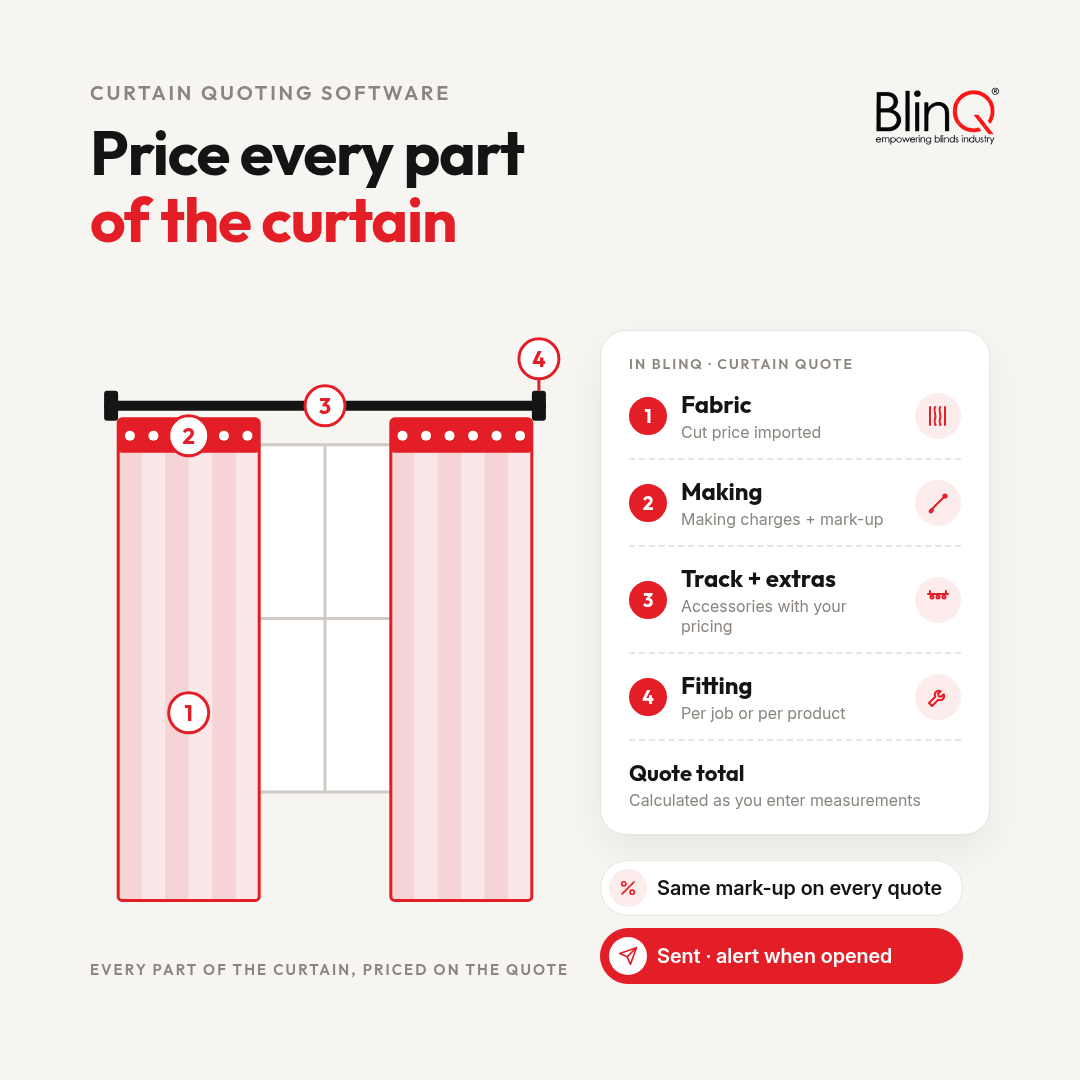
Curtain quoting software should price each curtain the way your workroom makes it, not the way a spreadsheet guesses. Many curtain businesses still quote from a fabric book, a calculator and a price list, then find the making charge or the track was left off after the customer says yes. Whether you call it curtain quoting software or curtain estimating software, the test is the same. Here is what every curtain quote needs to cover, and how BlinQ handles each part.
CURTAIN QUOTING SOFTWARE STARTS WITH THE FABRIC
Work out the fabric from the finished width, the fullness and the drop. Round up to whole widths of fabric, allow for the pattern repeat where there is one, and price it from your supplier's cut price.
In BlinQ: import your fabric cut price and making charges with your mark-up, and the curtain calculation prices the quote as you enter measurements.
ADD MAKING, TRACKS AND EXTRAS
The making charge depends on the heading and is usually priced per width or per metre, so it belongs on every line, not on a sticky note. Tracks, rods, brackets, motors and remotes are where a curtain quote most often loses margin.
In BlinQ: select fabrics, colours, controls and fittings on the quoting screen, and add accessories such as motors, brackets and remotes with your own pricing.
PRICE THE FITTING AND THE MARGIN
Decide whether fitting is one charge for the job or a rate per item. Then apply the same mark-up rule on every quote, so two staff members do not price the same room differently.
In BlinQ: choose a Fitting Charge for the whole job or an Individual Fitting Charge per product, and add mark-up on the quote or pre-set it in the cPanel.
SEND A CLEAR CURTAIN QUOTE
Label each item by room or window, so the customer, the workroom and the installer all read the same thing. Then send it and follow up at the right time.
In BlinQ: label quote items by room or opening, hide measurements on the customer's copy, email the quote and get an alert when it is opened.
Try it on your next quote. See pricing:
https://www.blinq.com.au/pricing
Or book a demonstration:
https://calendly.com/blinq/team
Curtain quoting software
Curtain estimating software
Curtain quote checklist
Fabric cut price
Making charges
Tracks and accessories
Fitting charges
Consistent mark-up
Room labels on quotes
Get Started
Workflow automation software for retailers and manufacturers of blinds, shutters & curtains.