Deposit for Made-to-Measure Blinds: How to Take It on the Quote
Get paid before the fabric is cut.
Sign Up
Start your 7-day free trial
Deposits on the Quote
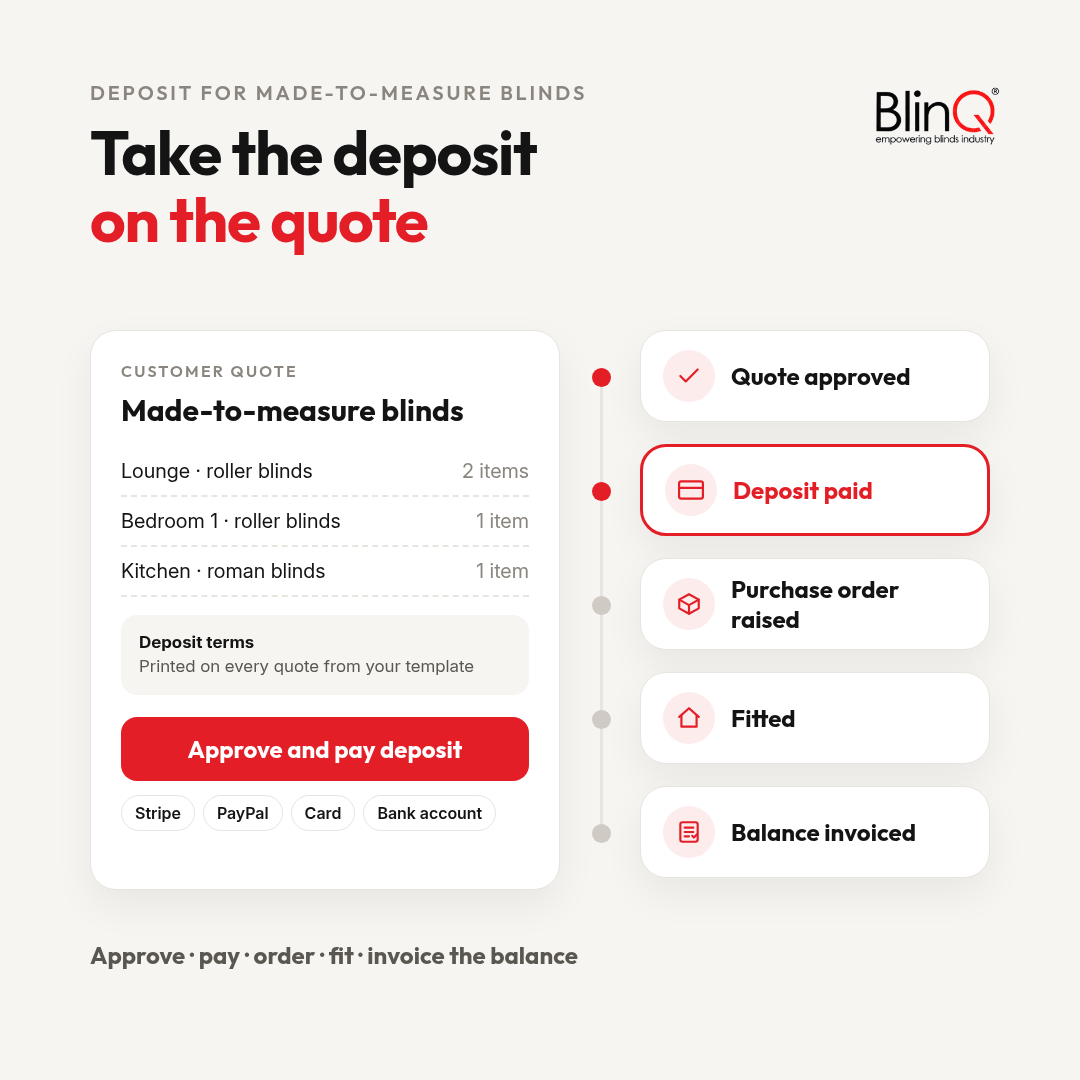
A deposit for made-to-measure blinds protects you before a single tube is cut. Once fabric is ordered and cut to size it cannot go back on the shelf, yet many businesses still wait for a bank transfer, then match it to the job by hand. Here is a simple deposit process, from the quote to the final balance.
SET ONE DEPOSIT RULE
Decide how much you ask for, when it is due and what happens if the order changes after a check measure. Put it in your quote terms, so every customer sees the same rule and nobody negotiates it on the doorstep.
In BlinQ: customise your quote template once, so your deposit terms appear on every quote you send.
TAKE THE DEPOSIT FOR MADE-TO-MEASURE BLINDS ON THE QUOTE
The easiest deposit to collect is the one taken while the customer is saying yes. Asking them to approve by email and then pay somewhere else adds a step where jobs stall.
In BlinQ: connect Stripe or PayPal and payment buttons appear on the quote, so customers can approve and pay online by card or linked bank account. You choose whether to pass on or absorb card surcharges. It is the simplest way to accept online payments for blinds without chasing transfers.
ORDER ONLY WHEN THE DEPOSIT IS IN
Make a received blinds deposit payment the trigger for supplier orders and production, not a verbal OK on the phone.
In BlinQ: the job record shows deposits alongside staff notes, emails and purchase orders, so the team can confirm the deposit has landed before raising a purchase order from the approved quote.
COLLECT THE BALANCE AFTER THE FIT
Invoice the balance on the day of installation, while the customer is happy with the result, not at the end of the month.
In BlinQ: create the invoice on site, email it with a due date, and let automated payment reminders do the follow-up. Paid and outstanding invoices are tracked in one place, and quotes transfer to Xero, MYOB or QuickBooks.
Try it on your next quote. See pricing:
https://www.blinq.com.au/pricing
Or book a demonstration:
https://calendly.com/blinq/team
Made-to-measure blinds deposit
Deposit terms on quotes
Approve and pay online
Stripe payments
PayPal payments
Card surcharges
Deposits on the job record
Invoice the balance
Payment reminders
Get Started
Workflow automation software for retailers and manufacturers of blinds, shutters & curtains.