How to Delegate Tasks to Staff in a Blinds Business
One owner per job, full story, quick re-assignments.
Sign Up
Start your 7-day free trial
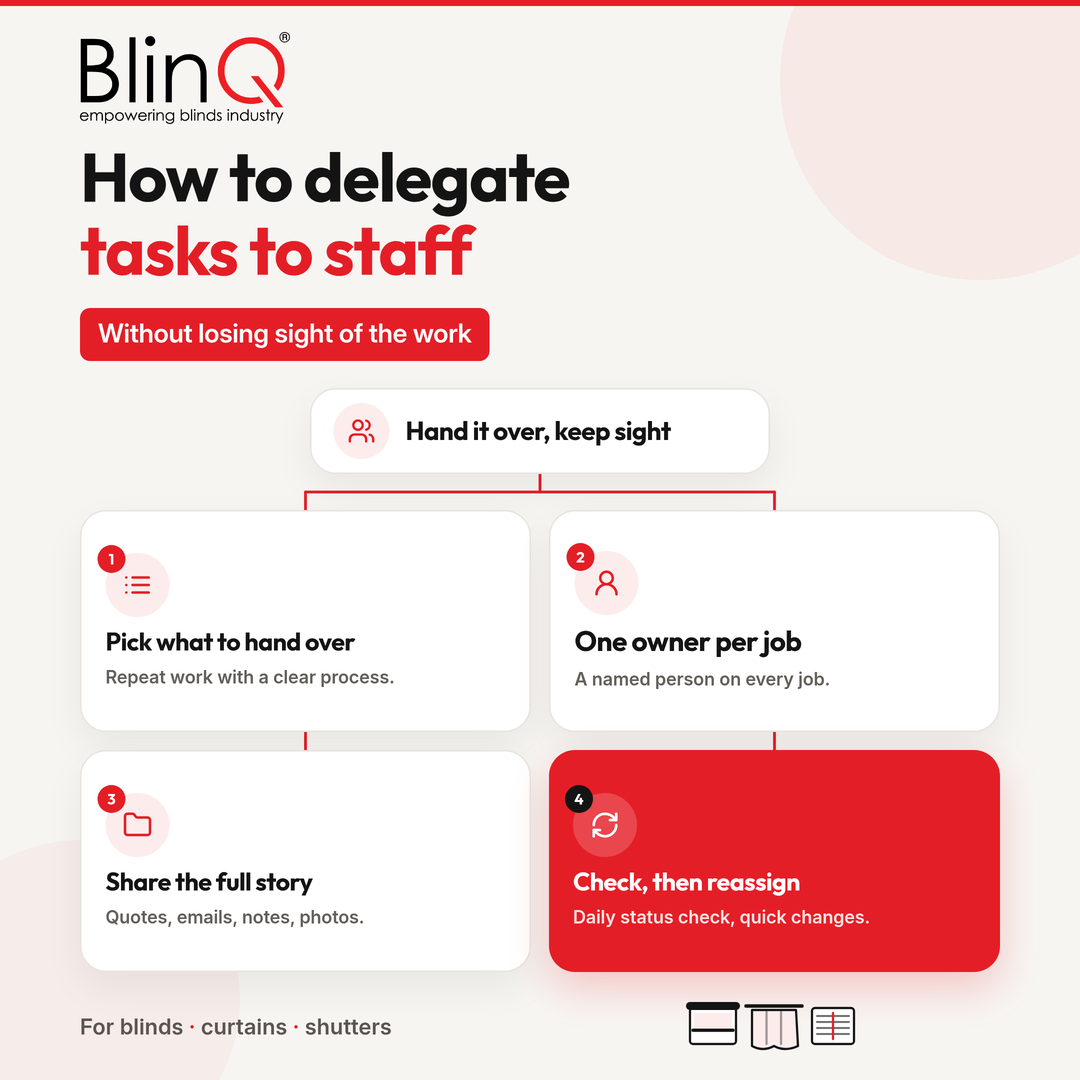
Hand It Over, Keep Sight
Learning to delegate tasks to staff is often the step that lets a blinds business grow past what the owner can personally carry. Many owners still take every enquiry, quote every measure and chase every install, because handing work over feels riskier than doing it yourself. The fix is not working longer hours. It is a simple, visible way to pass work on and still know where it stands.
DECIDE WHAT TO HAND OVER FIRST
Start with repeat work that follows a clear process, such as booking measures, sending quotes or confirming installs. Keep the decisions only you can make, and write down what a finished job looks like so the person taking it on knows the standard.
In BlinQ: every lead, customer and quote sits in one system, so the work you hand over is already organised rather than scattered across notebooks and inboxes.
HOW TO DELEGATE TASKS TO STAFF WITH ONE CLEAR OWNER
A task with two owners usually ends up with none. Give each job one named person, and make that name easy for anyone in the office to see.
In BlinQ: assign jobs to staff from a simple drop-down pick list of employee names, and see who is assigned on the customer's record.
GIVE THEM THE FULL STORY
Staff make better calls when they can see what has already happened: the quote, the emails, the notes and the site photos. Without that, they ring the customer to ask questions the customer has already answered.
In BlinQ: the customer's story shows the journey from initial quote to job completion, including staff notes, email correspondence, purchase orders and deposits, with photos and house plans attached to the file.
CHECK PROGRESS WITHOUT MICROMANAGING
Delegating does not mean losing sight of the work. Review job statuses at a set time each day instead of asking for constant updates, and reassign work quickly when someone is away or overloaded.
In BlinQ: the visual job dashboard shows statuses such as Approved, On Hold, Check Measurement, Ready to Fit, Fitted and Completed, and the same drop-down list quickly applies re-assignments.
Hand over one task type this week and review it on Friday. See pricing:
https://www.blinq.com.au/pricing
Or book a demonstration:
https://calendly.com/blinq/team
Delegate tasks to staff
How to delegate tasks
Delegating in a small business
One owner per job
Hand over repeat work
Staff drop-down pick list
Full customer story
Check progress daily
Quick re-assignments
Get Started
Workflow automation software for retailers and manufacturers of blinds, shutters & curtains.