Face Fit vs Recess Fit Blinds: How the Mount Changes the Quote
Choose the fit once, make it right first time.
Sign Up
Start your 7-day free trial
Get the Mount Right
Face fit vs recess fit blinds is one of the first decisions on any measure, yet it often ends up as a scribble on the job sheet. Get it wrong and the blinds arrive too narrow, too wide or fouling a window handle, and you pay for the remake. Here is how to handle the mount properly, from the window to the work order.
FACE FIT VS RECESS FIT BLINDS: WHICH SUITS THE WINDOW?
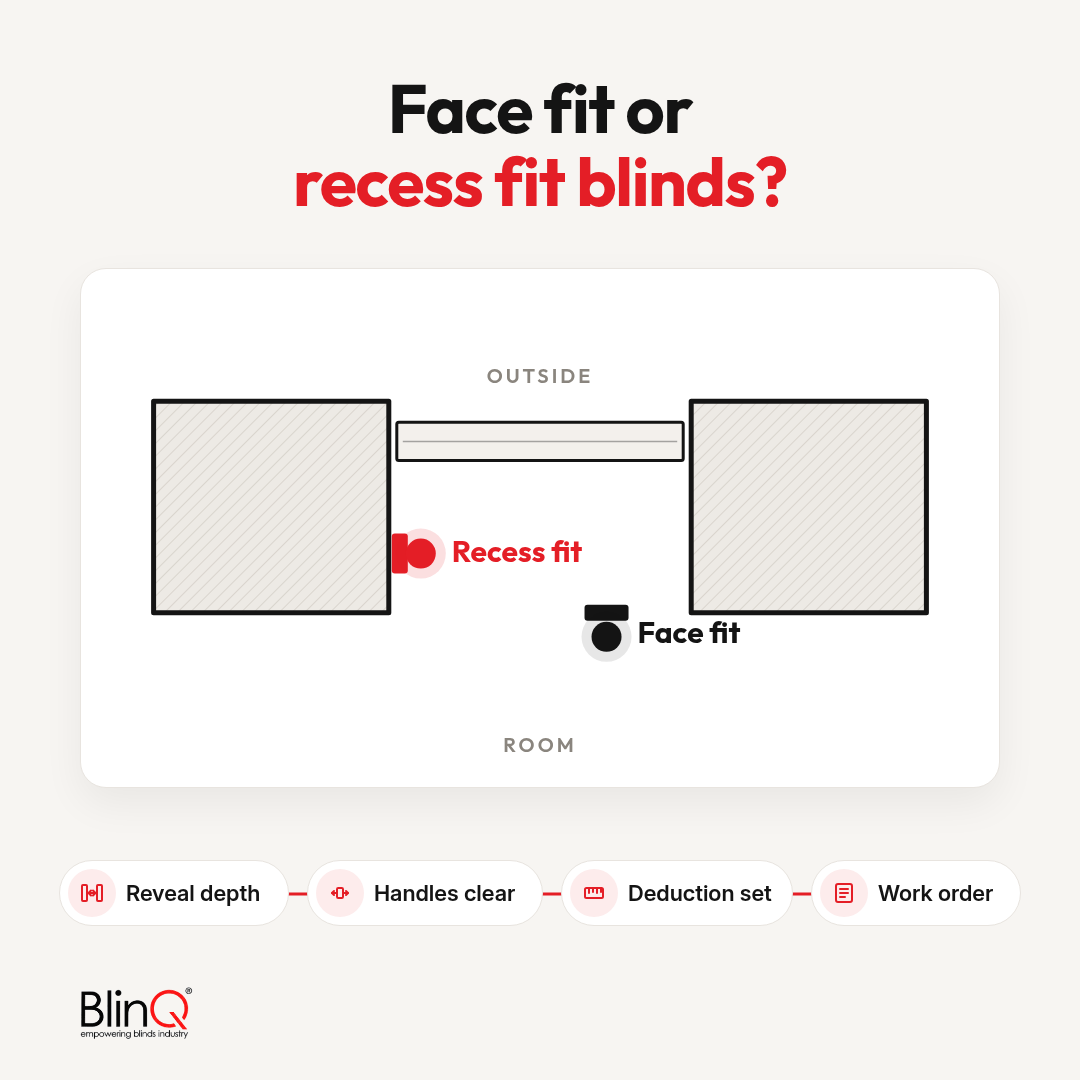
Recess fit (inside mount) sits within the window reveal for a clean, built-in look, but it needs enough depth for the brackets and clearance from winders and handles. Face fit (outside mount) sits on the wall or architrave, covers the frame and usually lets less light in around the edges.
In BlinQ: set up fit type as a product field alongside fabrics, colours, controls and fittings, so it is chosen on the quoting screen for every item instead of written in the margin.
HOW TO MEASURE BLINDS IN RECESS AND ON THE FACE
For a recess fit, measure the width at the top, middle and bottom and record the narrowest, then measure the drop on both sides and check the reveal depth. For a face fit, measure the area to be covered and allow an overlap past the frame on each side.
In BlinQ: enter each width and drop against its room or window label, and the price is generated from your grids as you go.
LET THE DEDUCTIONS FOLLOW THE MOUNT
Inside mount vs outside mount blinds are made differently. A recess fit usually needs a deduction so the blinds clear the reveal, while a face fit is often made to the ordered size. Leaving that to guesswork at the factory is where errors creep in.
In BlinQ: roller blinds deductions are configured by control type, and sizes such as Finished Make Size, Tube and Skin Size Required appear on the work order sheet.
CONFIRM IT BEFORE YOU ORDER
A quick check measure confirms the fit type, reveal depth and any obstructions before money is spent.
In BlinQ: move the job to Check Measurement on the job dashboard, attach a photo of the window to the customer file, and every change to the quote is tracked.
Try it on your next quote. See pricing:
https://www.blinq.com.au/pricing
Or book a demonstration:
https://calendly.com/blinq/team
Face fit vs recess fit
Inside mount blinds
Outside mount blinds
Measure blinds in recess
Reveal depth check
Roller blinds deductions
Work order sizes
Check measure
Fewer remakes
Get Started
Workflow automation software for retailers and manufacturers of blinds, shutters & curtains.