How Much to Charge for Installing Blinds: Fitting Charges
Price the fit, not just the blinds.
Sign Up
Start your 7-day free trial
Price the Fit Properly
How much to charge for installing blinds is a question many Australian blinds businesses answer with a guess, or by leaving fitting off the quote and hoping the product margin covers it. Then a two-storey job with old blinds to remove and brick reveals takes twice as long, and the profit disappears. There is no single right figure, but there is a reliable method. Here it is, step by step, and how BlinQ handles each part.
WORK OUT WHAT AN INSTALL REALLY COSTS YOU
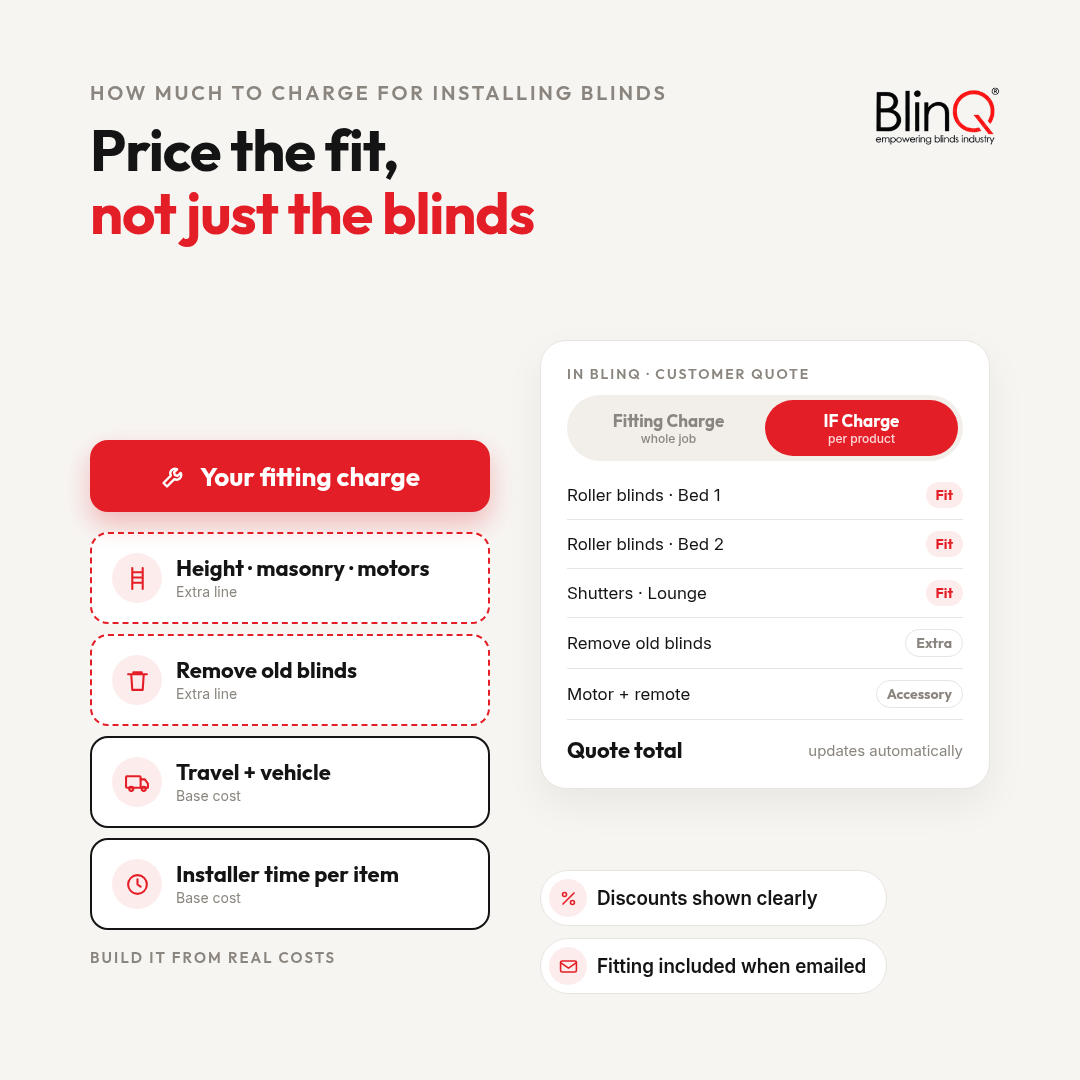
Start with your installer's time per item, then add travel, vehicle costs and the time spent on site with the customer. That gives you a cost per item and a cost per visit to price from.
In BlinQ: fitting charges are set up once and can be adjusted for different products, so the rates you work out are the rates every quote uses.
HOW MUCH TO CHARGE FOR INSTALLING BLINDS: PER ITEM OR PER JOB
A per-item rate suits most jobs, because roller blinds and a set of shutters do not take the same time to fit. A single job charge suits small jobs, and helps cover travel when there are only one or two items.
In BlinQ: choose a Fitting Charge for the whole job, or an Individual Fitting Charge (IF Charge) per product, and the quote total updates automatically.
PRICE THE EXTRAS, NOT JUST THE FIT
Taking down and removing old blinds, working at height, fixing into steel or masonry, and motorised products all add time. List them as separate lines, so the customer sees why one job costs more than another.
In BlinQ: add fitting charges, extras and surcharges within each quote, and set up items such as motors, brackets and remotes as accessories with custom pricing.
SHOW THE FITTING CHARGE CLEARLY ON THE QUOTE
Customers compare blinds installation cost between companies, so an itemised fitting line builds trust. If you discount, decide whether you are discounting the product or the fitting, rather than both by accident.
In BlinQ: fitting charges are clearly displayed within quotes and included automatically when the quote is emailed, and percentage discounts are shown clearly on the customer's quote.
Try it on your next quote. See pricing:
https://www.blinq.com.au/pricing
Or book a demonstration:
https://calendly.com/blinq/team
Charge for installing blinds
Fitting charge
Individual fitting charge
Per item or per job
Blinds installation cost
Remove old blinds
Installer time and travel
Extras and surcharges
Fitting shown on quote
Get Started
Workflow automation software for retailers and manufacturers of blinds, shutters & curtains.