How to Add GST to a Quote: A Guide for Blinds Businesses
One GST method on every quote, from price to tax invoice.
Sign Up
Start your 7-day free trial
GST on Blinds Quotes
How to add GST to a quote is simple maths, yet many blinds businesses still work it out on a calculator, type the total into a template and hope the invoice matches. When one consultant quotes GST-inclusive and another adds it later, customers see two prices for the same blinds. Here is one consistent method for GST on blinds quotes, based on ATO and ACCC guidance.
CHECK THAT YOU NEED TO CHARGE GST
The ATO says you must register for GST once your GST turnover reaches $75,000 or more. Once registered, you include GST in the price of your taxable sales, so it belongs on every quote.
In BlinQ: set price grids and markups once, so every quote starts from the same pricing. The Price Controller updates prices across products when suppliers change.
HOW TO ADD GST TO A QUOTE
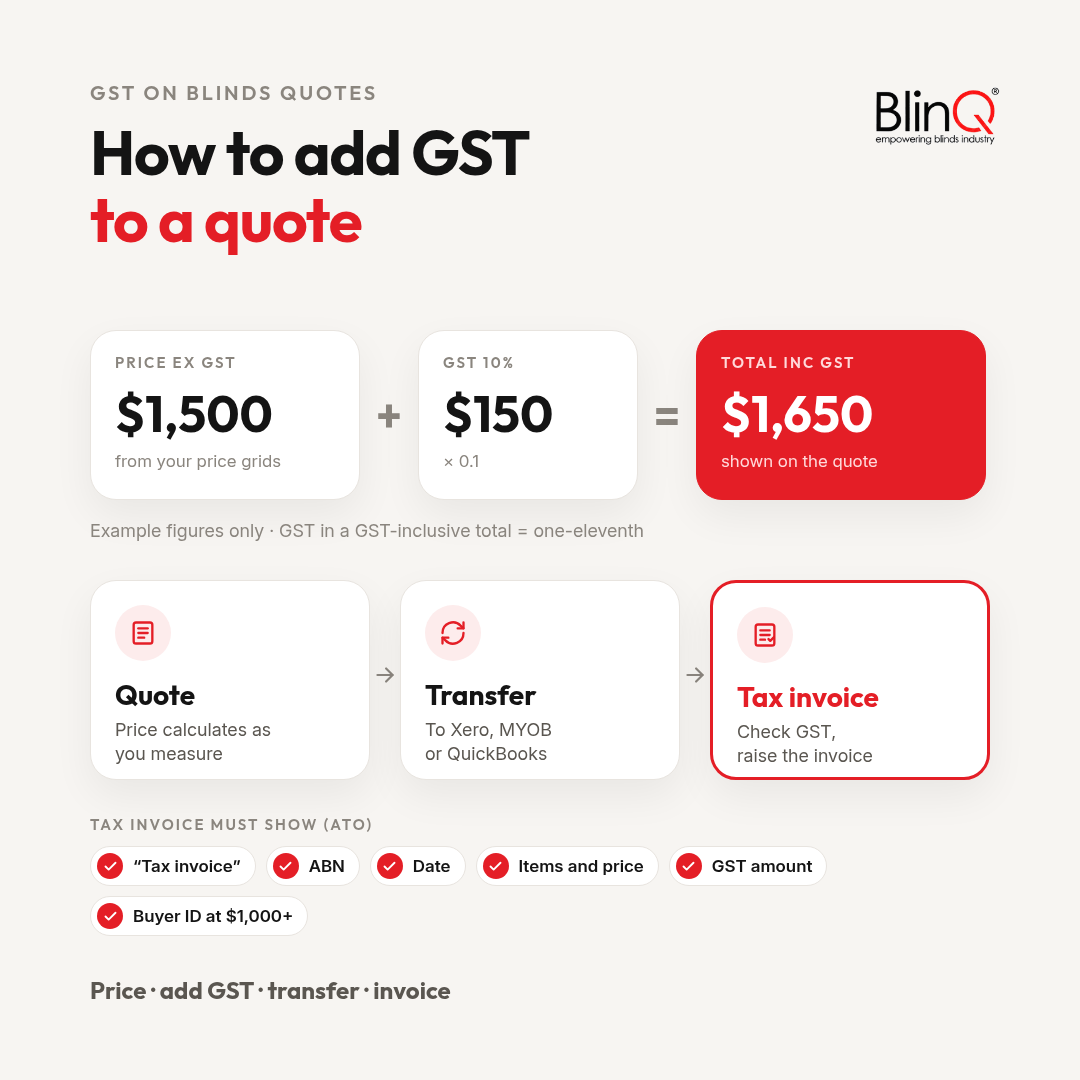
GST is 10% of the taxable price. Take the price before GST and multiply by 1.1 for the total. If you start from a GST-inclusive total, the GST is one-eleventh of it. For example, $1,500 before GST becomes $1,650 including GST. Show the total the customer will pay: the ACCC says advertising a price that is not the total price payable can be misleading.
In BlinQ: as you enter measurements, the price calculates on the spot, and your customised quote template presents it the same way on every quote.
FROM QUOTE TO TAX INVOICE
A quote is not a tax invoice. If a customer asks for one, the ATO says you must provide it within 28 days, unless the sale is $82.50 including GST or less. The ATO tax invoice requirements: show it is intended as a tax invoice, your identity and ABN, the date, the items with quantity and price, the GST amount (or "Total price includes GST" where GST is exactly one-eleventh) and the extent each sale is taxable. Sales of $1,000 or more also need the buyer's identity or ABN.
In BlinQ: transfer the approved quote to Xero, MYOB or QuickBooks instead of re-typing it, check the GST and raise the invoice.
KEEP DEPOSITS AND PAYMENTS IN STEP
Deposits and balances should match the records behind your BAS.
In BlinQ: accept payments from the quote with Stripe or PayPal, email invoices and get reminders for outstanding invoices.
Try it on your next quote. See pricing:
https://www.blinq.com.au/pricing
Or book a demonstration:
https://calendly.com/blinq/team
How to add GST to a quote
GST on blinds quotes
10% GST
GST inclusive total
Tax invoice requirements
ABN on tax invoices
Quote to tax invoice
Xero, MYOB, QuickBooks
Deposits and payments
Get Started
Workflow automation software for retailers and manufacturers of blinds, shutters & curtains.