How to Follow Up a Quote for Blinds Without Nagging
See when they look, then make the call.
Sign Up
Start your 7-day free trial
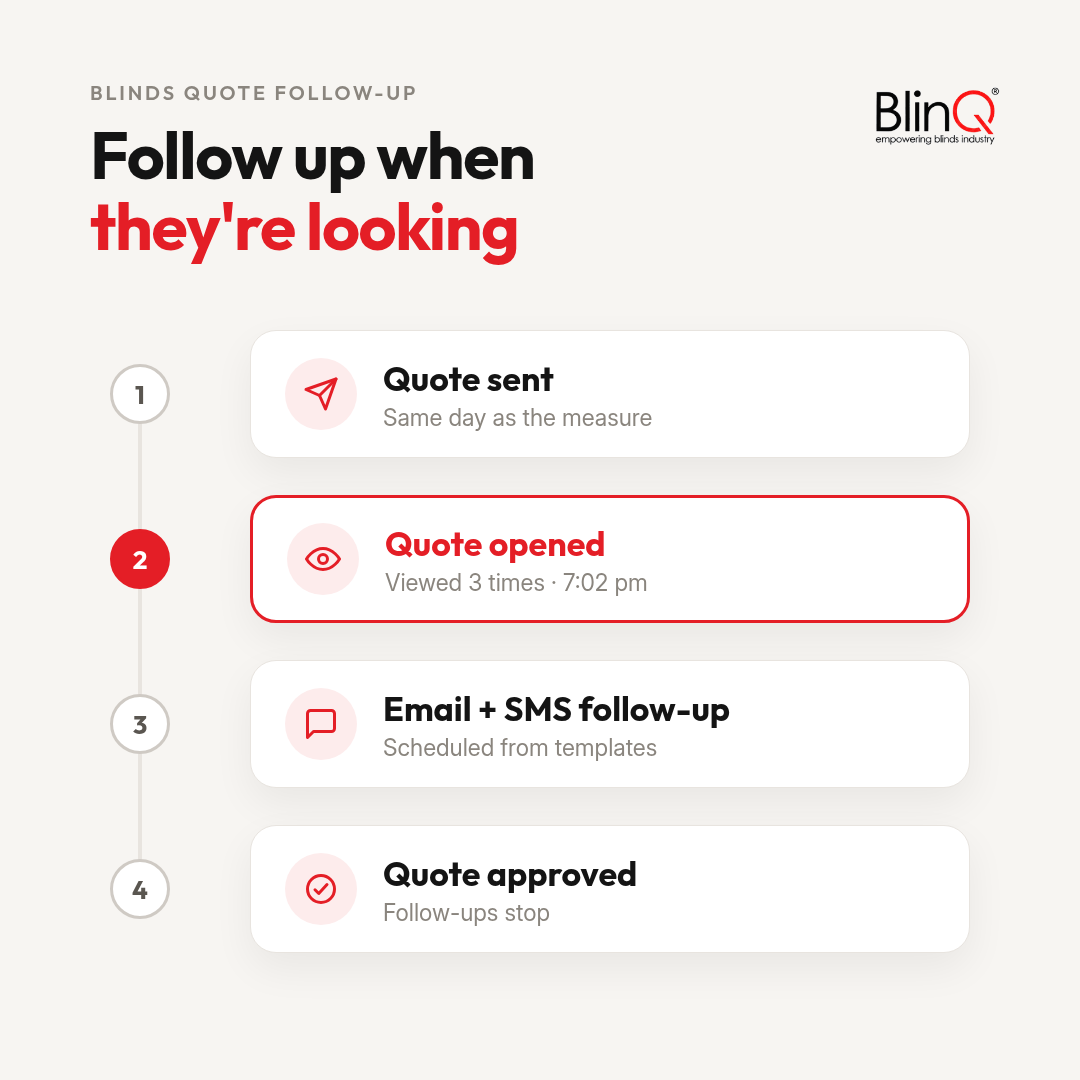
Follow Up at the Right Time
Knowing how to follow up a quote is often the difference between winning and losing a blinds job. Customers often compare a few quotes, and the business that follows up politely at the right moment is the one they remember. Yet many owners still rely on sticky notes and memory. Here is a simple follow-up sequence, and how to run it without the admin.
SEND THE QUOTE WHILE THE VISIT IS FRESH
Send the quote on the day of the measure. A quote that arrives three days later is competing with fresher offers and a customer who has moved on.
In BlinQ: enter the measurements on site, the price is calculated from your price grids, and the quote is ready to send the same day.
FOLLOW UP WHEN THEY OPEN IT
The best time to follow up after a quotation is sent is when the customer is looking at it. If they open it at 7pm and again the next morning, they are comparing. A short, helpful call beats another generic email.
In BlinQ: quote tracking shows when a customer opens a quote and how often they view it, so you know which calls to make first.
USE A QUOTE FOLLOW UP EMAIL TEMPLATE AND SMS
For quiet quotes, a polite sequence works: a check-in after a few days, a useful note about fabric samples or lead times a week later, then a final message asking whether they would like the quote kept open. Keep each one short and specific to their windows.
In BlinQ: set up email and SMS follow-up templates and schedule them after set intervals, so every blinds quote follow up runs the same way.
KNOW WHEN TO STOP
Stop chasing once the customer approves, pays or says no. Nothing annoys a customer more than a reminder about a quote they have already accepted.
In BlinQ: follow-ups stop automatically once a quote is approved or payment is received.
Try it on your next quote. See pricing:
https://www.blinq.com.au/pricing
Or book a demonstration:
https://calendly.com/blinq/team
How to follow up a quote
Blinds quote follow up
Send it the same day
Follow up when opened
Quote view tracking
Follow up email template
SMS follow-ups
Know when to stop
Win more blinds jobs
Get Started
Workflow automation software for retailers and manufacturers of blinds, shutters & curtains.