How to Upsell to a Customer Buying Blinds
Solve a problem, and the upgrade sells itself.
Sign Up
Start your 7-day free trial
Upsell by Solving Problems
How to upsell to a customer without sounding pushy comes down to one rule: only suggest what solves a problem they have already mentioned. In a measure and quote visit that might be glare on the TV, a bright bedroom or a hot west-facing room. Here is a practical approach for blinds businesses, and how BlinQ helps you quote it.
HOW TO UPSELL TO A CUSTOMER: START WITH THE ROOM
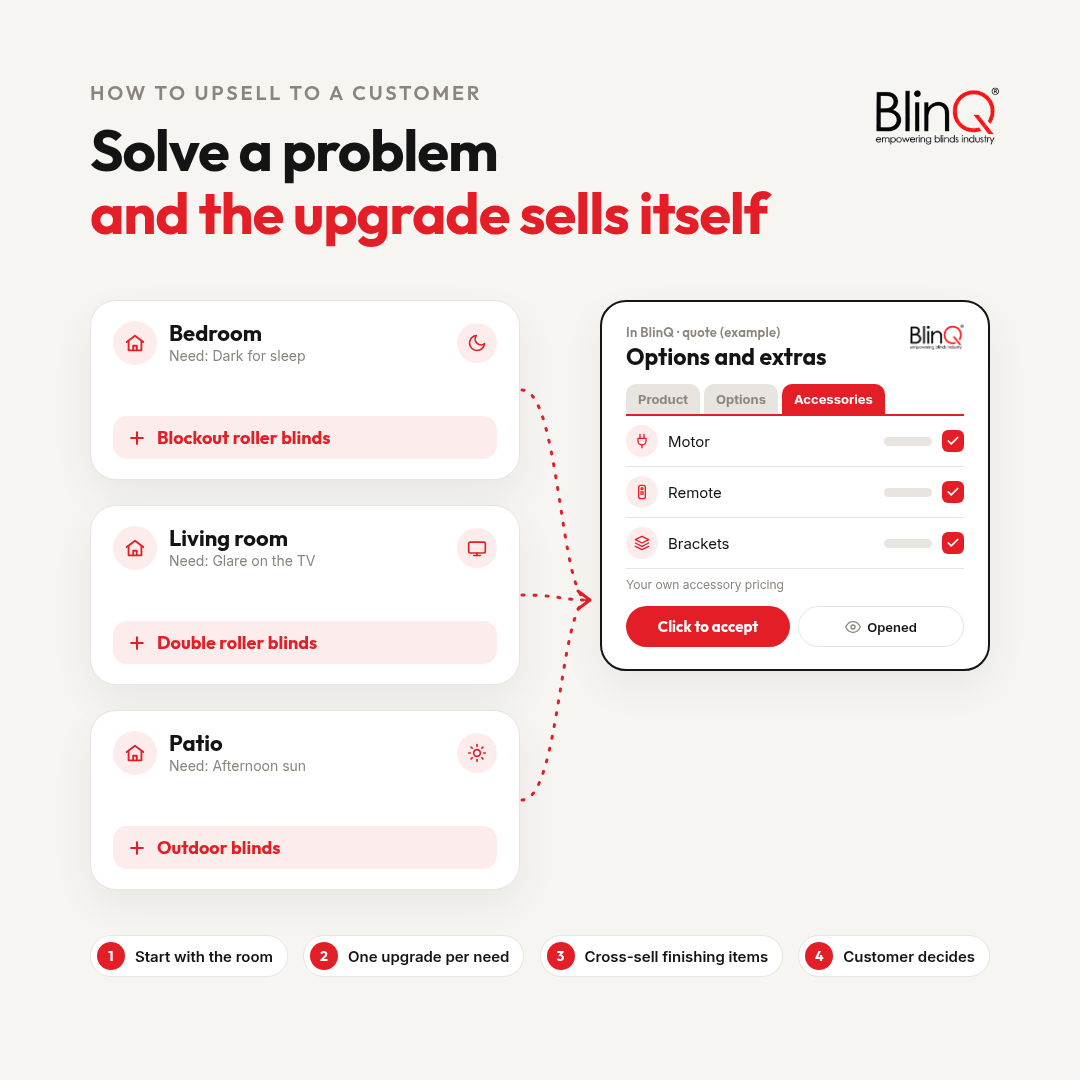
Ask about light, privacy, heat and who uses each room before you talk products. A nursery or a shift worker's bedroom may need blockout, while a living room may suit light filtering by day and privacy at night.
In BlinQ: label each quote item by room or window opening, so the reason behind every choice stays with the right window.
OFFER ONE UPGRADE PER NEED
The best upselling techniques in sales link each upgrade to a stated need: double roller blinds for day and night control, motorised blinds for high or hard-to-reach windows, or honeycomb blinds for a room that gets too hot or cold. Suggest one or two upgrades, not ten.
In BlinQ: select fabrics, colours, controls and fittings on the quoting screen, and the price is generated as you enter measurements, so the customer sees the difference straight away.
UPSELLING AND CROSS SELLING: FINISH THE JOB
Upselling and cross selling work together. Once the main blinds are agreed, mention the items that complete the job: remotes for motorised blinds, sheer curtains over the blinds, or outdoor blinds and awnings for the patio.
In BlinQ: add motors, brackets, remotes and other components from the Accessories tab with your own pricing, so extras are never left off the quote.
LET THE CUSTOMER CHOOSE
Show the standard option and the upgrade, explain the difference in plain words and let the customer decide. A respectful upsell builds trust; a pushy one can cost you the whole job.
In BlinQ: email the quote with a personalised message, see when it has been opened, keep earlier versions in the quote's history and let the customer click to accept.
Upsell by solving problems, one room at a time. Try it on your next quote. See pricing:
https://www.blinq.com.au/pricing
Or book a demonstration:
https://calendly.com/blinq/team
How to upsell to a customer
Upselling techniques in sales
Upselling and cross selling
Start with the room
One upgrade per need
Options on the quote
Accessories tab extras
See when it is opened
Customer decides
Get Started
Workflow automation software for retailers and manufacturers of blinds, shutters & curtains.