Installation Scheduling Software for Blinds Installers
Stock in, installer free, customer told.
Sign Up
Start your 7-day free trial
Book Installs Without Clashes
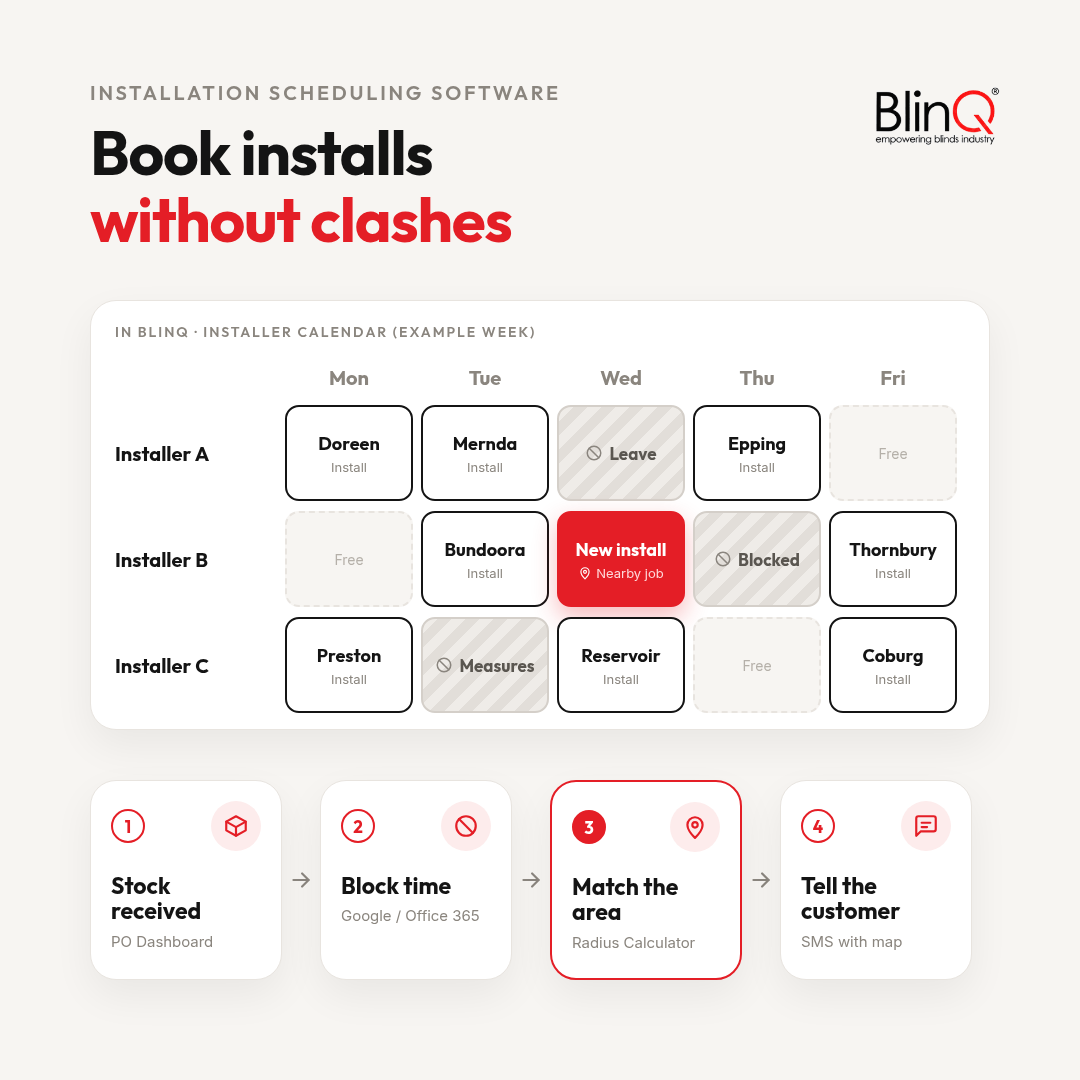
Installation scheduling software keeps every install booked against stock that has arrived, an installer who is free and a customer who knows when to expect you. Without it, the install diary lives on a whiteboard, a phone and a string of text messages, and the first clash shows up when two jobs land on one installer on the same morning. Here is a simple method for blinds installer scheduling, and how BlinQ handles each step.
BOOK ONLY WHEN THE STOCK HAS ARRIVED
Do not lock in an install date on a supplier's promise. Wait until the order is received, or at least has a confirmed arrival date, then book the visit.
In BlinQ: update the shipment received date on the PO Dashboard. The update is recorded in Story, and you can schedule the installer appointment straight away.
KEEP INSTALLER AVAILABILITY IN ONE CALENDAR
Leave, measures, other jobs and travel all belong in the same calendar the office books from. One calendar means one version of the truth, so block time the moment you know about it.
In BlinQ: connect Google or Office 365 calendars, and block unavailable time so measures and installs cannot be booked over it.
INSTALLATION SCHEDULING SOFTWARE: MATCH THE INSTALLER TO THE AREA
Group installs by suburb and give each installer a run that makes sense, rather than crossing the city twice in one day.
In BlinQ: create the installation appointment from Story, use the Radius Calculator to find installers already working near the customer, then choose the date and confirm the prefilled job details.
SEND THE JOB AND TELL THE CUSTOMER
The installer should arrive with the measurements, product details and address. The customer should get the date and time in writing, not just a phone call.
In BlinQ: generate an installer copy with measurements and product specifications, send the customer an SMS with a Google Map, and move the job to Ready to Fit, then Fitted.
Try it on your next quote. See pricing:
https://www.blinq.com.au/pricing
Or book a demonstration:
https://calendly.com/blinq/team
Installation scheduling software
Blinds installer scheduling
Installer availability
Book when stock arrives
Google and Office 365 calendars
Block unavailable time
Radius Calculator
Installer copy
SMS with Google Map
Get Started
Workflow automation software for retailers and manufacturers of blinds, shutters & curtains.