Quoting Software with Xero Integration for Blinds Businesses
Approved quotes, straight to your accounts.
Sign Up
Start your 7-day free trial
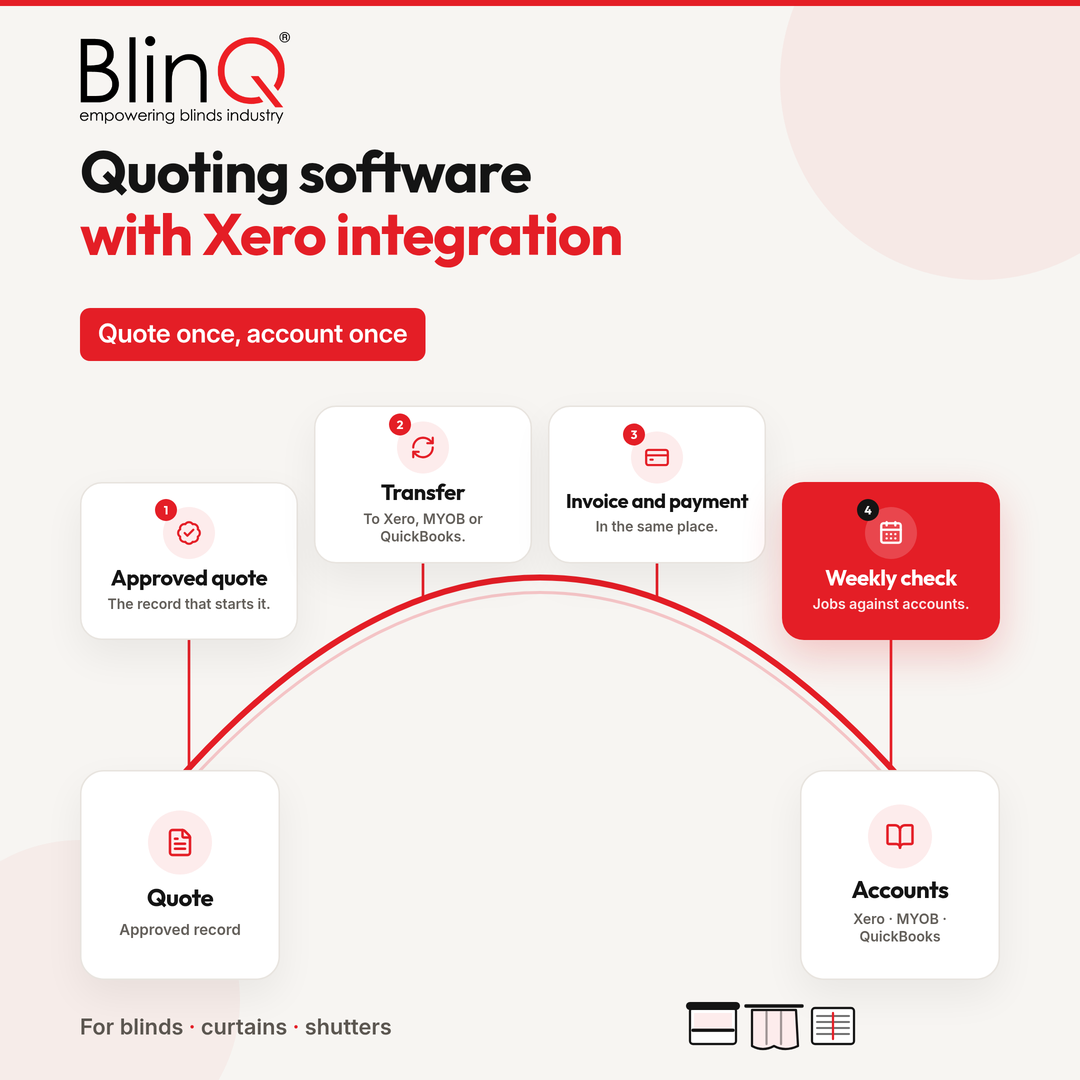
Quote Once, Account Once
Quoting software with Xero integration saves a blinds business from typing every approved quote into its accounts a second time. Double entry is slow, and it is where wrong totals, missed line items and duplicate customer records come from. Here is how to set up a clean flow from quote to accounts, whether your bookkeeper works in Xero, MYOB or QuickBooks.
DECIDE WHICH RECORD STARTS THE ACCOUNTS
Agree which document triggers an accounting entry. For most blinds businesses that is the approved quote, because it already holds the products, options and agreed price. Quotes that are still pending should stay out of your books.
In BlinQ: quotes move through statuses such as Pending and Approved, and confirmed quotes convert into jobs, so it is clear which ones are ready for your accounts.
CHOOSE QUOTING SOFTWARE WITH XERO INTEGRATION
Pick software that connects to the accounting package you already use, so your bookkeeper keeps working the way they do now and nobody retypes customer names, products and totals.
In BlinQ: transfer quotes from BlinQ to Xero, MYOB or QuickBooks through built-in integrations instead of copying them across by hand.
KEEP INVOICES AND PAYMENTS IN ONE PLACE
The fewer places a payment can be recorded, the fewer mismatches you will find later. Raise invoices and take payments from the same system that holds the quote.
In BlinQ: create and email invoices, set due dates for reminders, get alerts on outstanding invoices, and accept payments through PayPal, Stripe or EFT.
CHECK THE NUMBERS EVERY WEEK
Once a week, compare approved and completed jobs against what has reached your accounting software. Fix any gap while the job is still fresh in everyone's mind, rather than at the end of the quarter, when nobody remembers what was agreed.
In BlinQ: Sales and Completed reports, along with each job's history of staff notes, emails, purchase orders and deposits, give you a clear list to check against your accounts.
Stop keying the same quote twice. See pricing:
https://www.blinq.com.au/pricing
Or book a demonstration:
https://calendly.com/blinq/team
Quoting software with Xero integration
Xero quoting software
MYOB integration
QuickBooks integration
Transfer quotes to accounts
Avoid double entry
Approved quote status
Invoices and payments
Weekly accounts check
Get Started
Workflow automation software for retailers and manufacturers of blinds, shutters & curtains.