Job Sheet Template for Blinds Installers
Everything the installer needs, nothing they don't.
Sign Up
Start your 7-day free trial
Fit It Right First Time
A job sheet template is usually a blank Word or Excel form, but for blinds installers the form is only as good as what gets copied onto it. A handwritten sheet with a missing control side or a wrong drop means a second trip, an unhappy customer or a remake. Here is what an installation job sheet should hold, and how BlinQ produces it straight from the quote.
WHAT GOES ON A JOB SHEET TEMPLATE
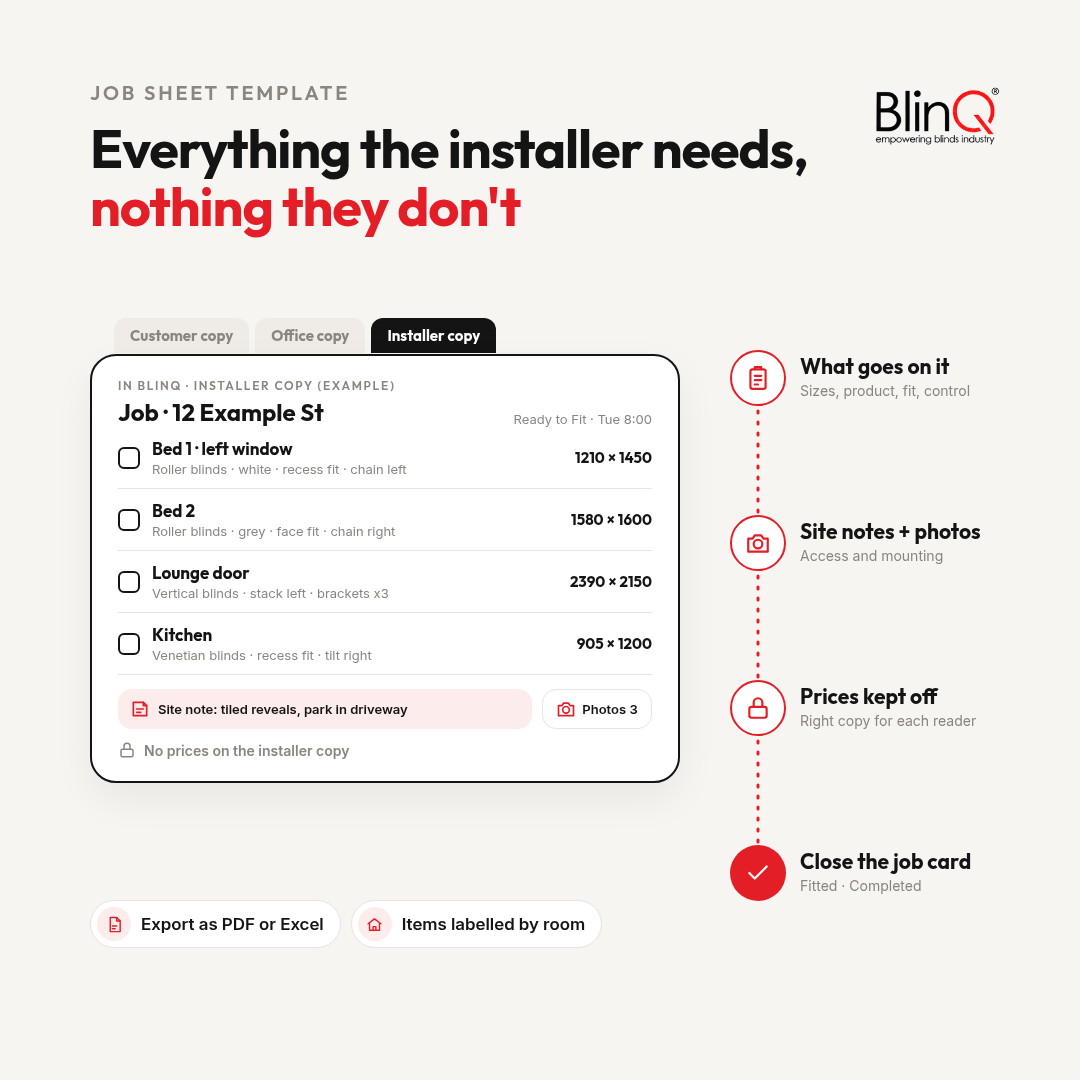
Whatever job sheet format you use, put the customer's name, phone, site address and booked time at the top. Then add one line per item: room, product, colour, width, drop, fit type, control side and any brackets, motors or remotes. The installer should be able to fit every item without calling the office.
In BlinQ: installer copies are generated from the quote with measurements, product specifications and essential job details in one organised document, with each item labelled by room or window opening.
ADD SITE NOTES AND PHOTOS
Sizes alone do not tell the installer about parking, a dog in the yard, tiled reveals or a high stairwell window. Record access issues and mounting conditions during the measure, and attach photos where a picture explains it faster.
In BlinQ: site notes are recorded during the customer visit and stay connected to the job, along with customer photos, plans and documents.
KEEP PRICES OFF THE INSTALLATION JOB SHEET
Your installer needs sizes and specifications, not your prices or margins. Each copy of the job should show only what its reader needs: the customer sees the price, the office sees everything, and the installer sees the fit details.
In BlinQ: select the document type and generate customer, office or installer copies from the same quote. You control which fields are visible in print copies, and you can export the quote as a printable file, Excel spreadsheet or PDF.
CLOSE THE JOB CARD AFTER THE FIT
When the blinds are up, the job card should come back with what was fitted, anything still outstanding and any follow-up needed, so the office can invoice or rebook straight away.
In BlinQ: the job tracking dashboard moves each job through statuses such as Ready to Fit, Fitted and Completed, and staff notes stay on the customer's story for the next visit.
Try it on your next quote. See pricing:
https://www.blinq.com.au/pricing
Or book a demonstration:
https://calendly.com/blinq/team
Job sheet template
Installation job sheet
Job card
Job sheet format
Items labelled by room
Notes and photos for installers
Field visibility in print
Printable PDF or Excel
Fitted and Completed
Get Started
Workflow automation software for retailers and manufacturers of blinds, shutters & curtains.