Outdoor Blinds Quoting Software: Quote on Site
Leave the site with the quote already sent.
Sign Up
Start your 7-day free trial
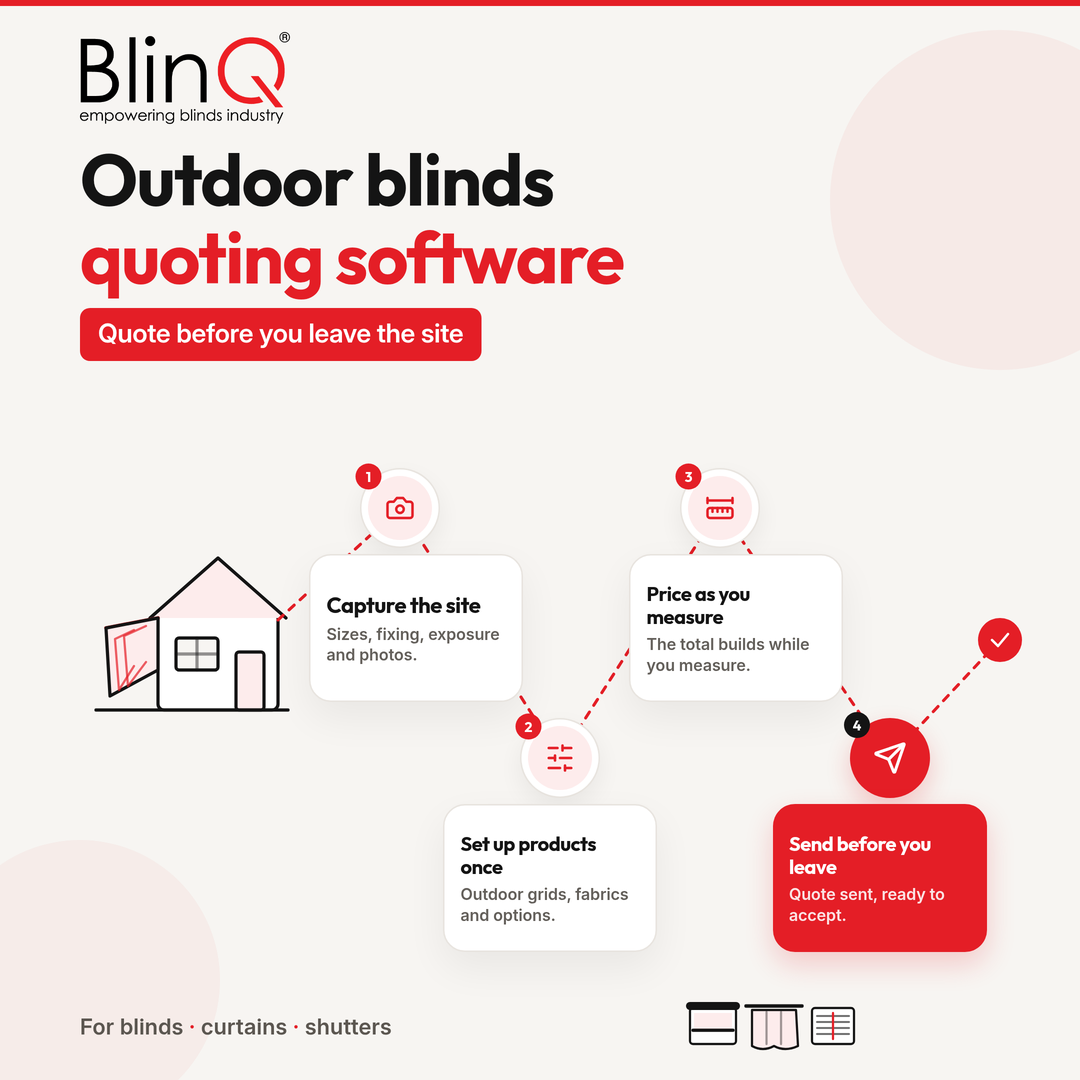
Measure, Price, Send
Outdoor blinds quoting software should turn a site visit into a priced, sendable quote before you leave the driveway. Outdoor jobs carry more variables than most indoor work: exposed openings, wider spans, different fixing surfaces and options that change the price. When those details sit in a notebook until you get back to the office, quotes go out late and mistakes creep in. Here is a practical way to quote outdoor blinds accurately.
CAPTURE THE SITE, NOT JUST THE SIZES
Record each opening's width and drop, the fixing surface, any obstructions and how exposed the area is to wind and sun. Take photos, so the person ordering and the installer see what you saw.
In BlinQ: take a photo, make a note on the image and store it in the customer's file, along with house plans and other supporting documents.
SET UP YOUR OUTDOOR PRODUCTS ONCE
Outdoor ranges usually come with their own price grids, fabrics, colours and control options. Load them properly once, so nobody is reaching for a price list or calculator on site.
In BlinQ: customise products and fields, and activate the calculations that manage price grids, materials and products.
PRICE AS YOU MEASURE WITH OUTDOOR BLINDS QUOTING SOFTWARE
Enter each opening as you measure it and check the total before you discuss options with the customer. Seeing the price on the spot lets you adjust choices together, instead of re-quoting later.
In BlinQ: as you enter measurements, the system generates accurate pricing and quotes on the spot.
SEND THE QUOTE BEFORE YOU LEAVE
Send the quote while the visit is fresh, with a short personal message. Keep internal measurements off the customer copy if you prefer, and follow up when the customer is actually reading it.
In BlinQ: email quotes in a couple of clicks, hide details such as measurements with simple tick boxes, get real-time alerts when a quote is opened, and let customers click to accept.
Outdoor work is often a bigger spend for the customer, so a fast, clear quote counts.
See pricing:
https://www.blinq.com.au/pricing
Or book a demonstration:
https://calendly.com/blinq/team
Outdoor blinds quoting software
Quote outdoor blinds on site
Outdoor blinds price grids
Site photos and notes
Fixing and exposure details
Price as you measure
Hide measurements on quotes
Quote open alerts
Click to accept quotes
Get Started
Workflow automation software for retailers and manufacturers of blinds, shutters & curtains.