Job Allocation Software: One Owner for Every Blinds Job
Every customer knows who is looking after them.
Sign Up
Start your 7-day free trial
Pick, Assign, Done
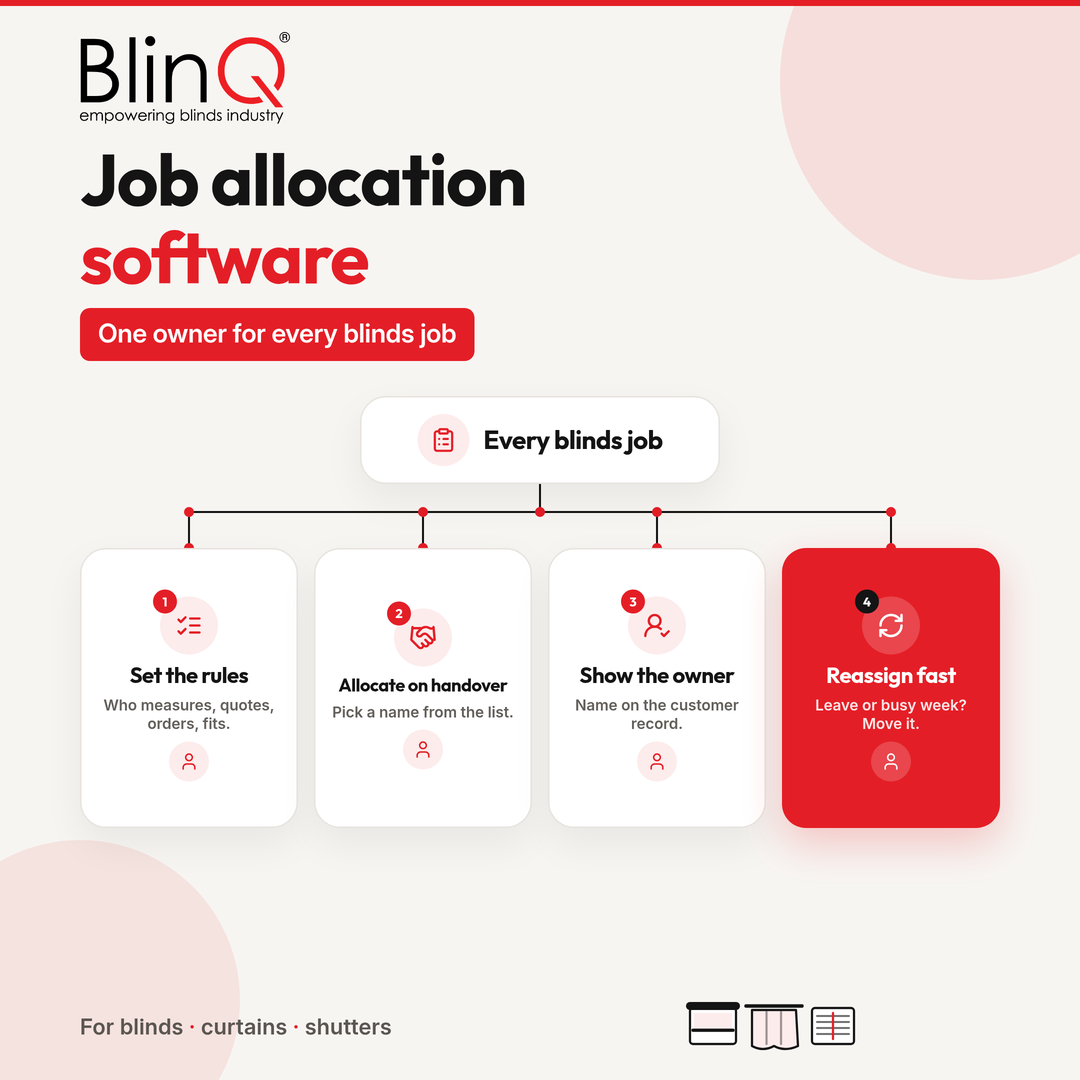
Job allocation software answers a simple question that causes real trouble in a growing blinds business: who is looking after this job right now? When jobs are handed out by phone or in a group chat, customers get two calls or none, and nobody notices a job sitting with someone on leave. Here is a simple way to allocate jobs so every customer has one clear owner.
SET YOUR ALLOCATION RULES
Write down who handles each stage: who measures, who quotes, who manages the order and who fits. Agree how jobs are shared, for example by area or by product, so allocation is a quick decision rather than a debate.
In BlinQ: manage unlimited staff, so every consultant, office team member and installer can have jobs allocated in the same system.
ALLOCATE AT THE MOMENT THE JOB CHANGES HANDS
Allocate the job when it is created or approved, not at the end of the week. A job with no name against it is a job that waits.
In BlinQ: assign jobs to staff with a simple drop-down pick list of employee names, so allocation takes seconds and follows the customer's journey from initial lead to job completion.
MAKE THE OWNER VISIBLE WITH JOB ALLOCATION SOFTWARE
Anyone who answers the phone should see straight away who is handling the customer and what has happened so far. That avoids double handling and stops the customer repeating their story.
In BlinQ: the staff member assigned is shown on the customer's record, beside the customer's Story with staff notes, emails, purchase orders and deposits.
REASSIGN QUICKLY WHEN PLANS CHANGE
Leave, sick days and busy weeks happen. Check open jobs regularly, move work from overloaded people to those with room, and make sure the new owner knows what was promised.
In BlinQ: use the same drop-down list to apply re-assignments, retrieve leads, customers and quotes from a dashboard of your team's work, and see job statuses such as On Hold, Ready to Fit and Completed.
Give every job one owner this week. See pricing:
https://www.blinq.com.au/pricing
Or book a demonstration:
https://calendly.com/blinq/team
Job allocation software
Allocation rules
One owner per job
Drop-down pick list
Owner on the record
Customer Story
Reassign quickly
Team workload
Unlimited staff
Get Started
Workflow automation software for retailers and manufacturers of blinds, shutters & curtains.